
Video Modules for Product Prototypes and OEM Integration
Complete video playback modules for prototype testing and OEM product integration.
Need to add video playback to a product prototype? We supply complete LCD video modules that you can test inside your own product before committing to production.
Choose the screen size, power supply, controls and cable layout to match your design. Start with a prototype sample to check fit, playback and power, then move to OEM production once the configuration is confirmed.
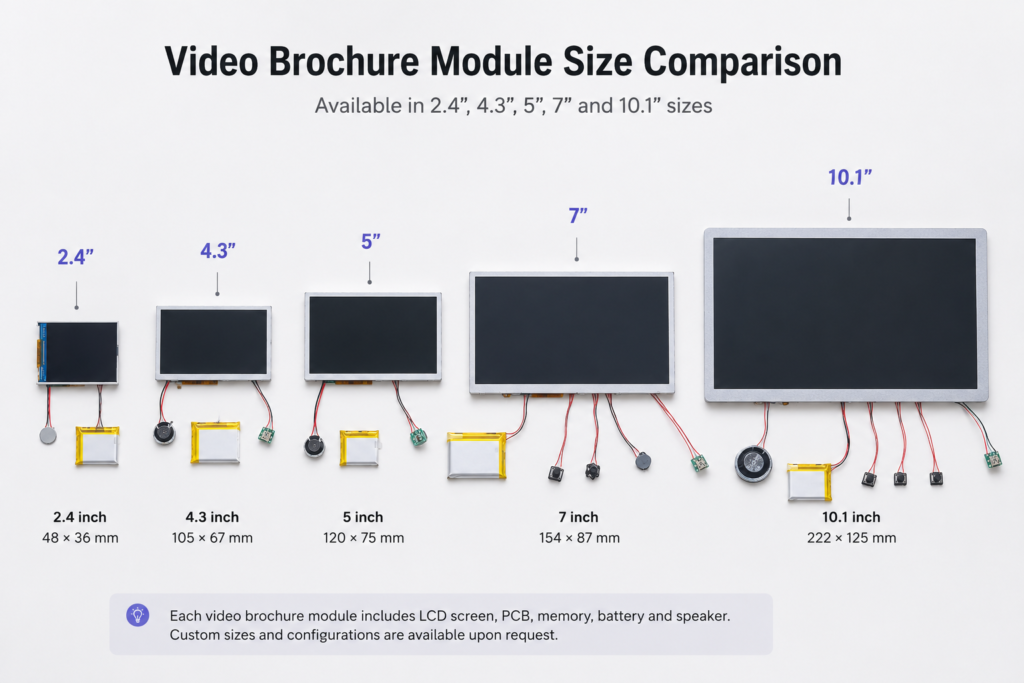
- 2.4″, 4.3″, 5″, 7″ and 10.1″ screen options
- MP4 playback from built-in memory, no Wi-Fi or app required
- USB-C charging and video file transfer
- Rechargeable battery or external power
- Buttons and speaker are optional
- Auto-play and single-video loop playback
- Cable lengths can be customized
What Is a Prototype Video Module?
A prototype video module is a complete video playback unit designed to be built into another product. It combines the LCD screen and the playback electronics, so you can test your product without developing video hardware from scratch.
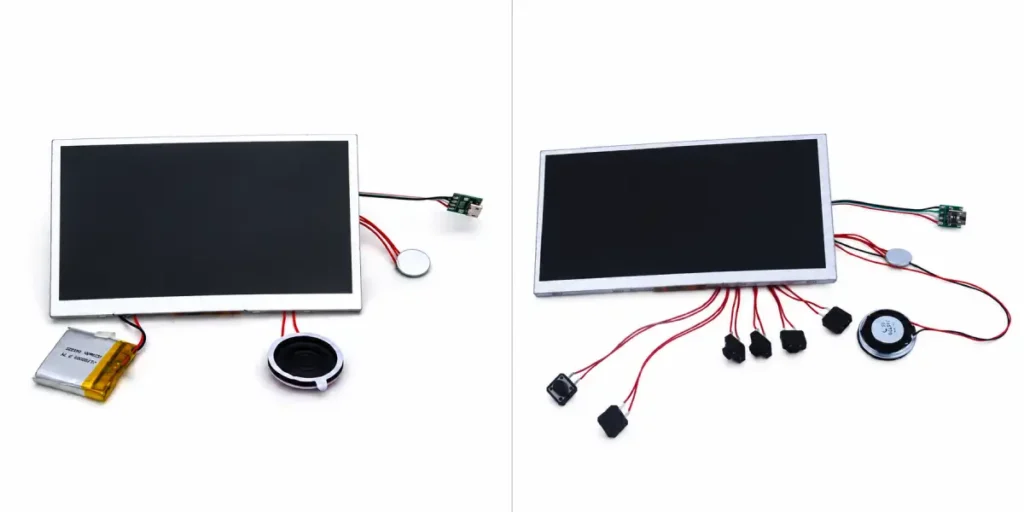
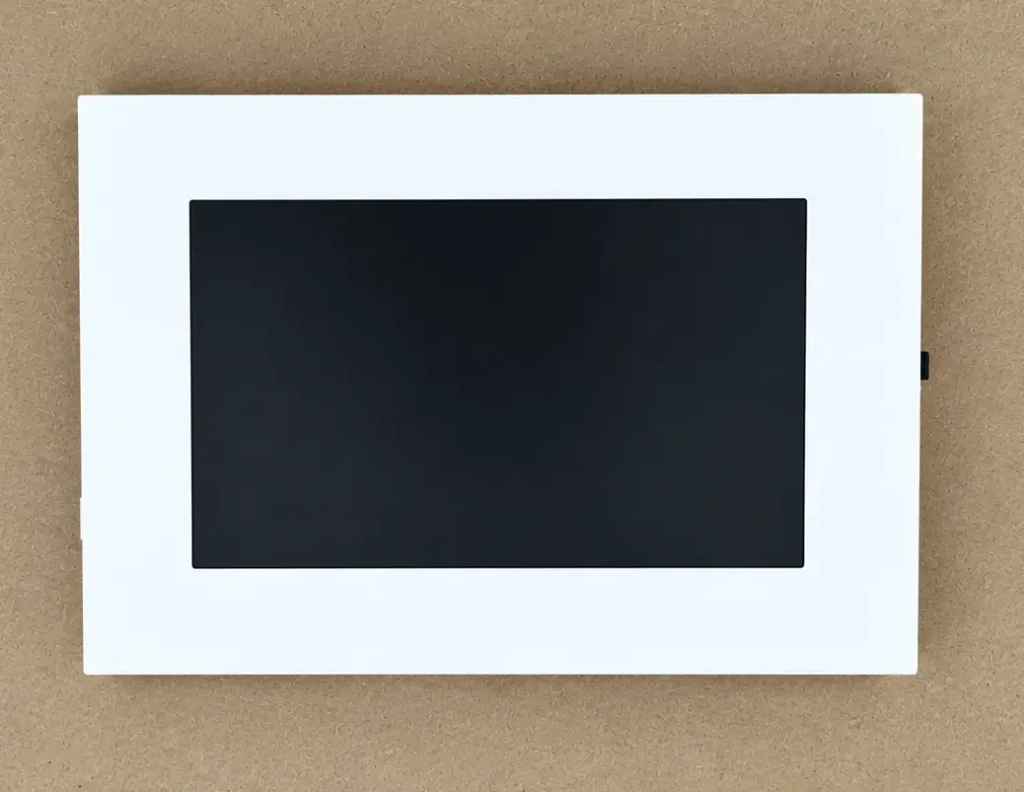
Unlike a finished video brochure, the module is supplied without a printed cover or enclosure. The screen, PCB and battery are separate parts, which is what lets you place them wherever your product design needs them.
Looking for a finished printed product instead? See our video brochures → /video-brochures/
Reference Module Dimensions
Use these figures to check whether a module can fit your available space. They are reference values for standard configurations.
| 7″ Module | 5″ Module | |
|---|---|---|
| LCD outline (L × W × T) | 165 × 100 × 3.5 mm | 120 × 66 × 2 mm |
| Active area | 153 × 86 mm | 110 × 61 mm |
| Native resolution | 1024 × 600 | 540 × 960 |
| PCB (L × W × T) | 85 × 42 × 3 mm | 72.5 × 44 × 3 mm |
| Battery (L × W × T) | 80 × 45 × 4 mm (1500 mAh) | 40 × 30 × 4 mm (650 mAh) |
| LCD-to-PCB cable | 4.3 cm | 5 cm |
| Overall thickness, buttons excluded | about 5 mm | about 5 mm |
Additional reference components on the 5″ module: 30 mm speaker, 12 × 12 × 8 mm button board, and about 2 hours of continuous video playback on the 650 mAh battery.
The PCB and battery do not have to sit behind the screen. They can be placed elsewhere in your product and connected with cables cut to the length your design needs.
Please confirm final dimensions before sample production, because the layout can change with the battery, speaker, button and USB configuration.
Choose the Right Screen Size
The right size depends on installation space, viewing distance and how much of your product the screen should occupy.
2.4-inch module (320 × 240): the smallest option for compact products where space is extremely limited, such as small promotional items, mini displays and video magnets.
See the finished 2.4-inch video brochure → /2-4-inch-video-brochure/
4.3-inch module (480 × 272): the compact option when internal space or thickness is limited.
See the finished 4.3-inch video brochure → /4-3-inch-video-brochure/
5-inch module (540 × 960): a balance between viewing area and size for packaging, photo products and small displays.
See the finished 5-inch video brochure → /5-inch-video-brochure/
7-inch module (1024 × 600): more screen area where visual impact matters more than compactness, such as albums, frames and presentation products.
See the finished 7-inch video brochure → /7-inch-video-brochure/
10.1-inch module (1024 × 600): for larger display stands and demonstration products.
See the finished 10.1-inch video brochure → /10-1-inch-video-brochure/
Not sure which size suits your product? Compare all screen sizes → /video-brochure-sizes/
or read how to choose the best screen size → /what-is-the-best-screen-size-for-a-video-brochure/
Configure the Module for Your Product
Playback. Upload MP4 files to the built-in memory through USB-C. The module can start playing automatically on power-up, loop a single video continuously, skip the menu and startup logo, and run without Wi-Fi or an app.
Related: How to load videos onto the module → /how-to-upload-video-to-video-brochure/ ·
Video file requirements → /video-brochure-file-requirements/ ·
Choosing memory capacity → /video-brochure-memory-guide/
Power. Rechargeable battery with USB-C charging, or external power where suitable. Battery size and capacity are chosen according to the space available.
Related: Battery capacity and runtime → /video-brochure-battery-guide/
Controls. A physical power button and volume control are available. Buttons are optional: a module can be supplied without any buttons and use a magnetic switch instead, with the sensor connected by a cable so it can be positioned where your product needs it.
Related: Button layouts and functions → /video-brochure-buttons-guide/
Audio. A speaker is available, but optional. If your product needs silent playback, the module can be supplied without one.
Cable length and placement. Screen, battery, speaker, controls and magnetic sensor can be connected with custom cable lengths. Tell us the distances your layout requires and we will confirm them during the review.
Common Prototype Configurations
Prototype requests tend to fall into three patterns:
Standard configuration. Screen, PCB, battery, speaker and buttons in one set, for products that need full playback control.
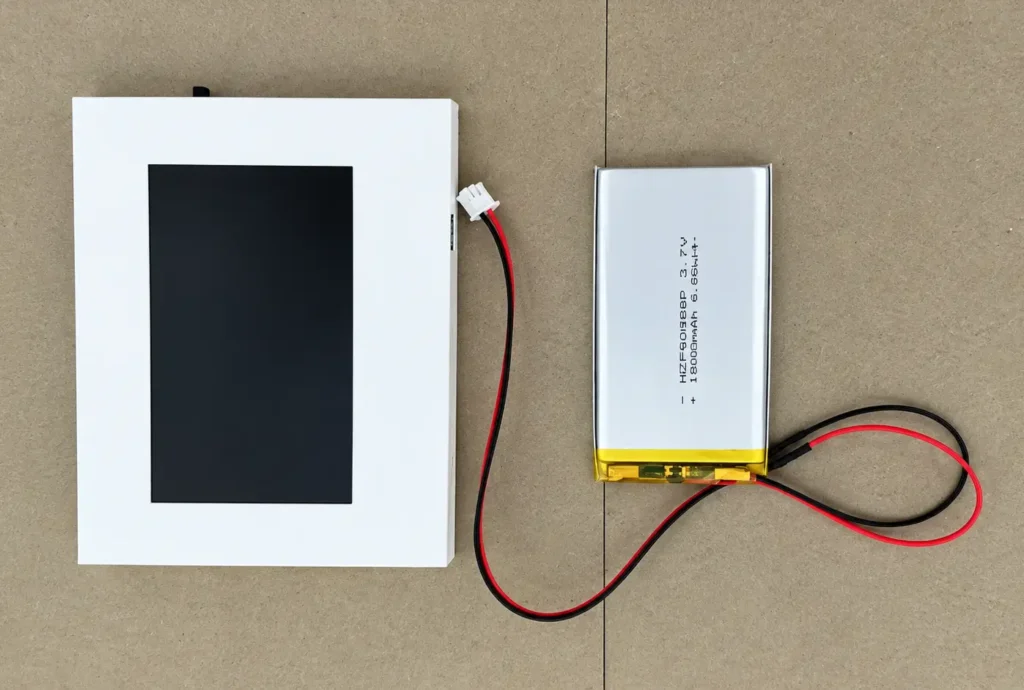
Separated battery and PCB. The screen stays thin at the front, while the PCB and battery are hidden elsewhere in the product and joined by cables. Common when the space behind the screen is limited.
Silent, button-free configuration. No buttons and no speaker, with a magnetic switch controlling playback. Suitable for albums, books and boxes where opening the product should start the video.
Confirm the Configuration Before You Order the Sample
One of the most common misunderstandings we see is that a reference photo shows the exact sample configuration. Photos of modules often show a full set of buttons and a speaker. Your sample can be built without them.
Before a sample is prepared, confirm these items in writing:
- Buttons: none, or which functions
- Speaker: included or not
- Control method: buttons, magnetic switch or auto-play only
- Playback behavior: auto-play, loop, and what should happen when the product is closed and reopened
- Battery, external power or both
- Cable lengths for LCD, battery, USB-C and magnetic sensor
- Screen outline and active area, so your window or cutout matches
Designing the cutout from the screen’s outline and active area, rather than from a photo, avoids rework.
How Prototype Development Works
- Send your product information. A photo, sketch, drawing or basic dimensions are enough.
- We review integration. Screen, space, battery, power, controls and cables.
- Confirm the configuration. Agree the final list above before the sample is made.
- Test the sample. Check fit, playback, power, controls, cable routing and assembly.
- Move to production. The approved configuration becomes the reference for small-batch or volume orders.
Want to know who builds the modules? Read about our factory and OEM capability → /video-brochure-manufacturer/
Prototype Example: Separating the Battery from the Screen
A compact product project needed a 4.3-inch screen at the front, but the battery could not sit directly behind the display. The prototype used a 4.3-inch module with a separate rechargeable battery on an approximately 30 cm cable, a physical ON/OFF switch, and MP4 playback. This let the customer test screen position, battery placement and cable routing before deciding on the production configuration.
What to Send for a Prototype Recommendation
You do not need a CAD drawing. Please send:
- What you are building
- Available internal dimensions and maximum thickness
- Preferred screen size, if known
- Buttons and speaker: needed or not
- Control method and playback behavior
- Battery or external power requirement
- Prototype quantity and expected production quantity
If some details are undecided, describe how the finished product should work and we will suggest a configuration.
Prototype Video Module vs Video Brochure Module
| Prototype Video Module | Video Brochure Module | |
|---|---|---|
| Main need | Develop a new product | Build a known brochure, book or box |
| Starting point | Product concept or dimensions | Module specification |
| Main question | Will it fit and work? | Which module should I order? |
| Focus | Position, power, cables, controls | Screen, memory, battery, buttons |
Already know the module you need? View Video Brochure Modules →
Frequently Asked Questions
Prototype samples are available so you can test fit, playback, power and controls before production.
Yes. Both are optional.
Yes. Both are optional.
Yes, in most layouts. Send the position you need and the approximate distance, and we will confirm the cable length before making the sample.
In most cases, yes. Cable length is set around your layout, and we confirm the length that works before the sample is made.
No. A photo, sketch or basic dimensions are enough to start.
Yes. Once approved, it becomes the reference configuration for production.
Ready to Test Video Playback in Your Product?
Send us your product concept, available space and required functions. We will recommend a module configuration for prototype testing.