
Custom Video Presentation Folders
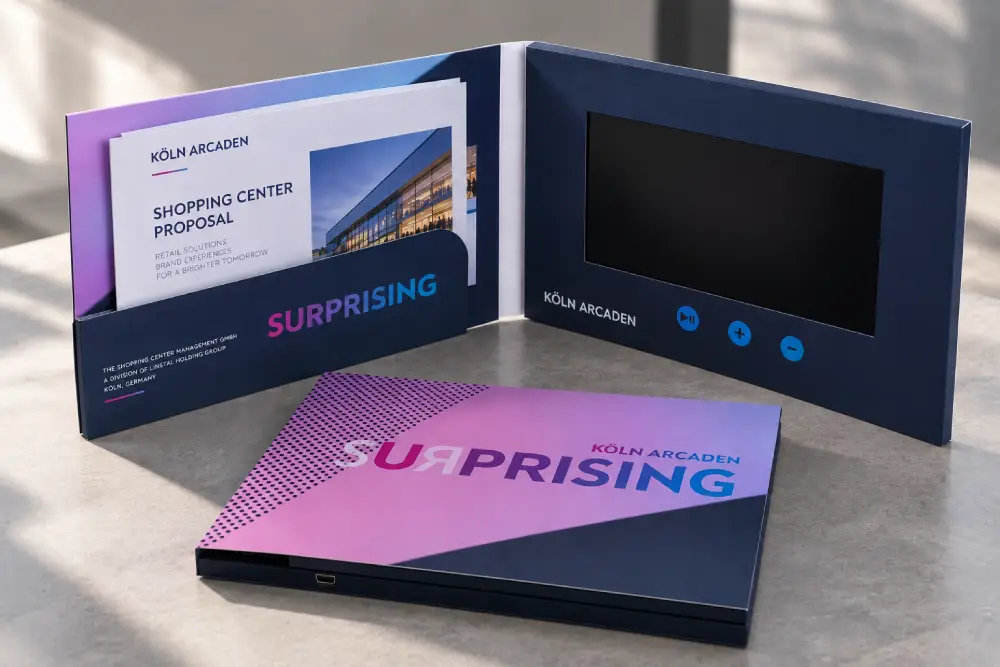
A video presentation folder combines an LCD video screen with document pockets in one custom sales folder. Your customer can watch your presentation and take away proposals, contracts, brochures, price sheets or other printed materials in the same package.
CheerTrend is a factory-direct manufacturer in Shenzhen with more than 15 years of experience in LCD video products. We make custom video folders around your screen size, pocket structure, printing and video controls.
Typical configurations include:
- 4.3″, 5″, 7″ and 10.1″ LCD screens
- A4, US Letter or custom document pockets
- One or two pockets, with an optional business card slot
- Left or right screen position
- Portrait or landscape layouts
- Softcover or rigid hardcover structures
- Magnetic closures
- Custom printing and finishing
- Auto play when opened
- USB charging and video replacement
What Is a Video Presentation Folder?
A video presentation folder is a printed folder with a built-in LCD screen and dedicated space for physical documents. The screen plays your video, while pockets or sleeves hold the materials your customer needs to review or keep.
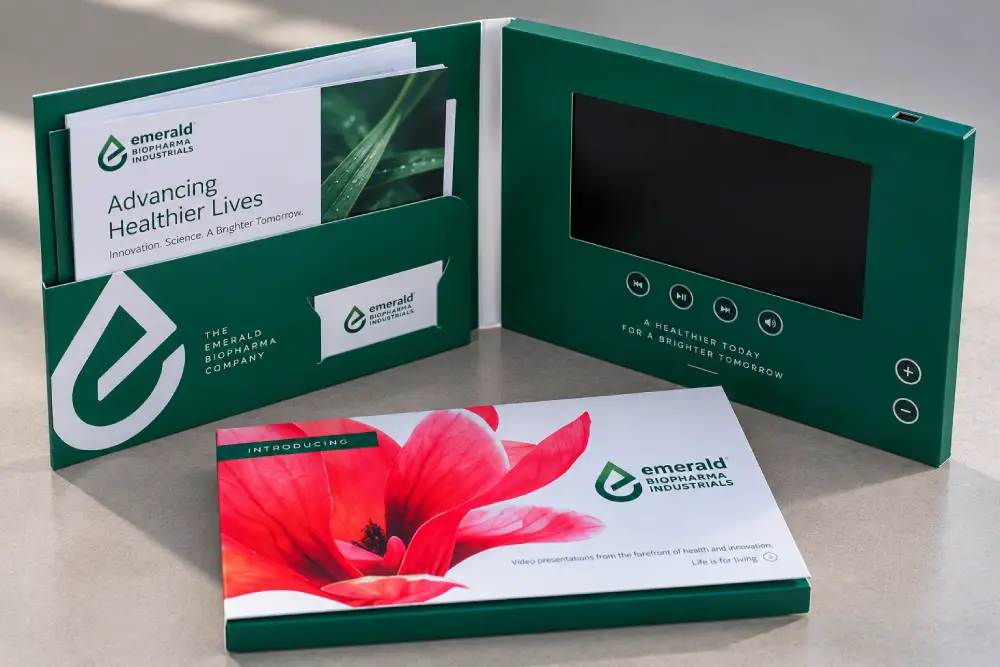
Typical inserts include:
- Sales proposals and quotations
- Contracts and forms
- Product brochures and specification sheets
- Price lists
- Welcome documents
- Business cards
A video folder is most useful when video is part of the sales presentation, but printed documents still matter in the buying process.
Why Use a Video Folder for Sales Presentations?
A video folder keeps the presentation and supporting documents together. Instead of showing a video on one device and handing over separate paperwork, the customer receives one complete presentation kit.

BNY MELLON

Wine video brochure
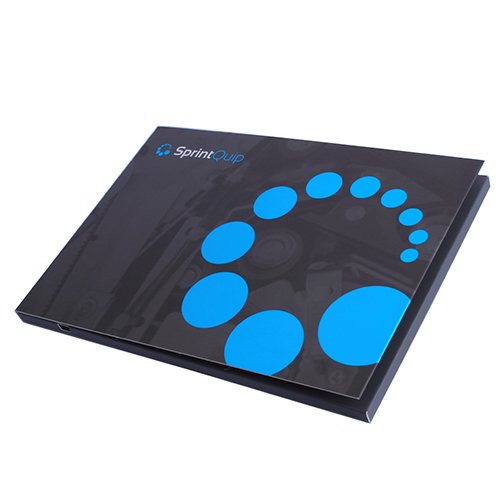
Softcover video folder
Present Your Message on Screen
Use the LCD screen for company introductions, product demonstrations, proposal overviews, customer testimonials, training videos or project presentations. Compatible configurations can start playing automatically when the folder is opened. No Wi-Fi, app or separate playback device is required.
Keep Printed Documents Inside
Pocket dimensions can be designed around your actual documents, so proposals, quotations and forms sit securely and are easy to remove.
Give the Customer One Complete Package
The customer leaves with the video, the documents and your contact details in a single branded piece, rather than several items that can be separated or lost.
What Video Folder Structures Can Be Customized?
The structure can be designed around your screen, documents and presentation format. If you already know what needs to fit inside, send us the document dimensions or an existing folder design.
One or Two Document Pockets
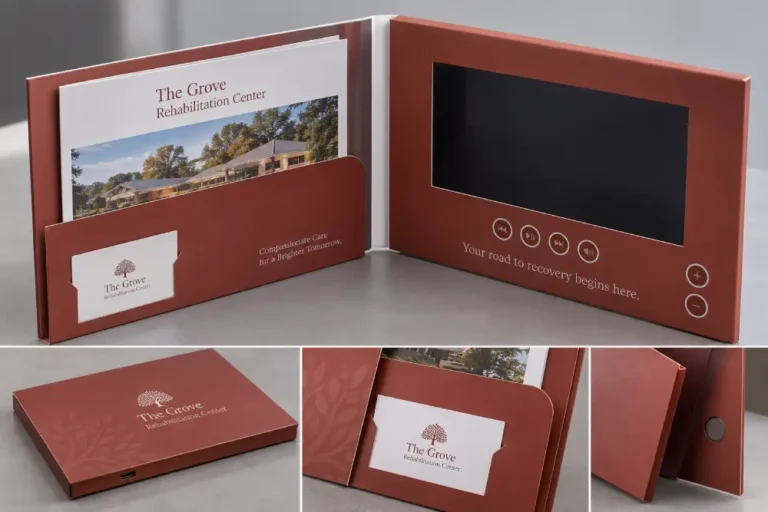
A single pocket suits proposals, brochures, quotations or contracts, and the screen can sit opposite it so the customer views the video and printed information together. Two pockets allow different materials to be separated, for example product literature in one and the quotation in the other.
Business Card Slot
A business card slot can be die-cut into the pocket or another suitable area. Its position is confirmed together with the rest of the layout.
Custom Document Sleeve
When a standard pocket is not suitable, a sleeve can be made around specific inserts. Send us the dimensions so the structure can be reviewed before sampling.
Magnetic Closure
Magnetic flaps or closures are available for suitable structures. They keep the folder closed and the inserted materials secure during transport and customer meetings.
Screen Position and Orientation
The LCD screen can be placed on the left or right, and both portrait and landscape layouts are possible. The better choice depends on the document format, screen size and how the folder will be used.
Softcover or Hardcover
Softcover and rigid hardcover structures are both available. The better choice depends on the appearance you want, the folder size and the pocket requirements, and we can recommend a structure once we know how the folder will be used.
What LCD Screen and Video Options Are Available?
The screen size depends on the overall folder dimensions and how the video will be viewed.
| Screen Size | Typical Use |
|---|---|
| 4.3 inch | Compact folders where overall size matters |
| 5 inch | General sales and client presentations |
| 7 inch | Larger proposals and premium presentations |
| 10.1 inch | Large-format folders where visual impact is important |

Available functions can include:
- Auto play when opened
- Play / pause
- Previous / next video
- Volume controls
- Custom chapter buttons
- USB charging and video replacement
- Multiple preloaded videos
Memory and battery capacity are chosen according to your video files and required playback time. Some functions depend on the screen size and folder structure, and we confirm the final configuration before sampling.
Related Technical Guides
Video Brochure Sizes → /video-brochure-sizes/
Compare screen sizes and finished product dimensions.
Video Brochure Memory Guide → /video-brochure-memory-guide/
Choose suitable memory capacity based on your video files.
Video File Requirements → /video-brochure-file-requirements/
Prepare compatible video files for reliable playback.
Where Are Video Presentation Folders Used?
Video folders work best when customers need both a visual presentation and physical information to take away.
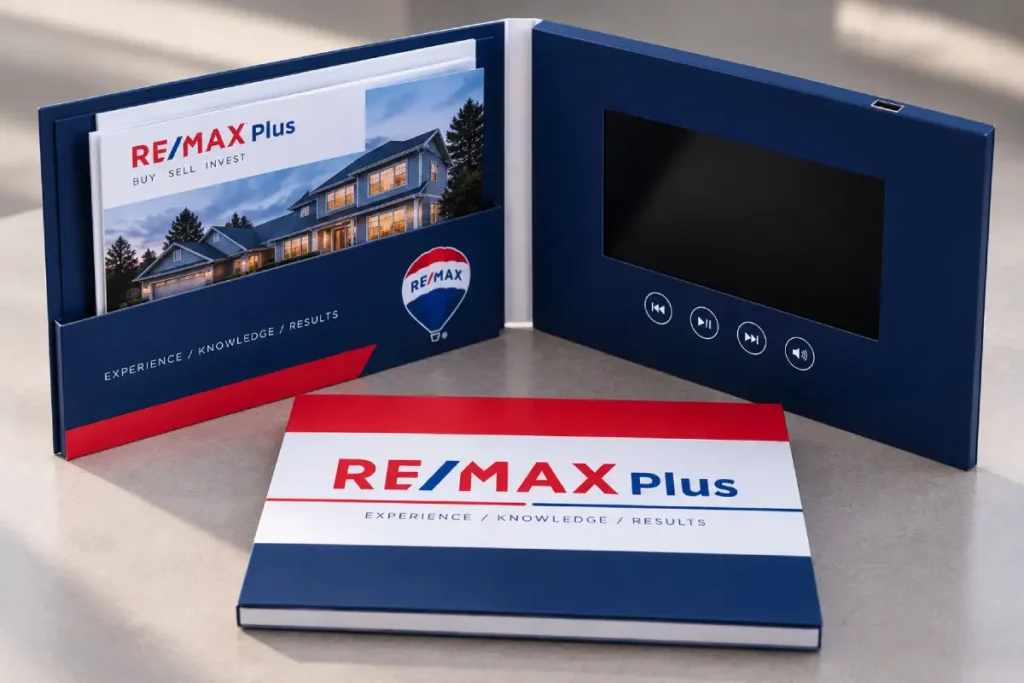
Sales Proposals
Play a company, product or proposal presentation on screen, and keep the quotation and specifications inside for later review.
Client Onboarding
Use video to welcome customers or explain next steps, with forms, instructions and account information in the pockets.
Real Estate Presentations
Combine a property or development video with floor plans, pricing sheets, brochures and investment information.
Medical and Healthcare Sales
Present product demonstrations or educational content on screen, with product literature and specifications inside for healthcare professionals.
Trade Show Follow-Up
Combine the follow-up video, brochures and business card in one branded package, so prospects leave with one piece instead of several.
Education and Institutional Presentations
Schools, universities and training organizations can pair introductory videos with program information and application materials.
Video Folder vs. Video Brochure vs. Video Presentation Box
The main difference is what needs to accompany the video.
| Product | Best When You Need | Typical Contents |
|---|---|---|
| Video Folder | Video + client documents | Proposals, contracts, brochures, quotations, business cards |
| Video Brochure | Compact video presentation | Video + printed graphics |
| Video Presentation Box | Video + physical item | Product, sample, gift or PR kit contents |
Choose a video folder if you need to leave proposals, contracts or brochures with the customer after the presentation.
Choose a video brochure if you mainly need video and printed branding without dedicated document storage. → Custom Video Brochures /video-brochures/
Choose a video presentation box if you need to present a product, sample or gift together with video. → Video Presentation Boxes /video-presentation-boxes/
How Can the Video Folder Be Printed and Finished?
The exterior, interior and document pockets can all be customized with your artwork and branding.
Available options include:
- Full-color printing
- Matte, gloss or soft-touch lamination
- Spot UV
- Foil stamping
- Embossing or debossing
- Printed document pockets
- Custom die-cut structures
Options depend on the selected material and structure. If you need a specific material or finish, send us a reference image or specification for review.
How Does a Custom Video Folder Project Work?
A custom sample confirms that the screen, documents and folder structure work together before mass production.

1. Send Your Requirements
Share what you already have: screen size, folder or document dimensions, pocket requirements, quantity, video details and printing needs. A sketch or reference photo is enough to start.
2. Confirm the Structure
We review overall dimensions, screen position, pocket arrangement, document fit, video controls and closure requirements.
3. Make a Custom Sample
The sample lets you check folder construction, printing, screen position, pocket dimensions, document fit, video playback and button layout. Changes can be reviewed before mass production. Sample cost and lead time depend on the screen size and final folder design, and we can provide an estimate after reviewing your requirements.
4. Approve and Start Production
Production starts after the final specifications, artwork, payment and order details are confirmed. Your final video files are preloaded during production.
5. Test Before Shipment
The selected functions are checked before shipment, which can include playback, buttons, charging and other features in the configuration.
What Do You Need for a Video Folder Quote?
You do not need every technical detail decided before contacting us. For an initial quote, send as much of the following as you have:
- Screen size: 4.3″, 5″, 7″, 10.1″ or ask us to recommend one
- Folder size: finished dimensions if known
- Document size: A4, US Letter or custom
- Pocket structure: one pocket, two pockets, sleeve or business card slot
- Quantity: estimated order quantity
- Video: length or approximate file size
- Controls: auto play, buttons, volume or other functions
- Printing: artwork and required finishing
If you have a drawing, artwork, reference photo or an existing presentation folder, send it with your inquiry so we can review the structure and prepare a more accurate estimate.
Frequently Asked Questions About Video Presentation Folders
A video brochure combines an LCD screen with printed graphics. A video folder adds dedicated pockets or sleeves for proposals, contracts, brochures and other physical documents. Choose the folder format when document storage is an important part of the presentation.
Yes. Folder and pocket dimensions can be designed around A4, US Letter or custom document sizes. The final dimensions depend on the screen size, pocket structure and amount of material being inserted.
Yes, on suitable configurations. Automatic playback uses a magnetic activation switch, so the video can start when the folder opens and stop or reset when it closes. The exact playback behavior is confirmed before production.
Yes. Your team can replace the video through the USB port, so the same folder can be updated for new campaigns, products or customer groups without being remade. Tell us before production if you plan to update the content yourself, so we can set up the folder for it.
The exterior, interior and document pockets can be customized with your artwork. Printing and finishing options depend on the selected material and structure. Artwork templates can be provided once the structure is confirmed.
In most cases, yes. Send us the drawing, dimensions or reference photos together with the documents that need to fit inside. We check the structure against the LCD screen and electronic components before sampling.
Yes. Custom samples are available for project evaluation and can confirm the structure, printing, screen position, document fit and selected video functions. Sample cost and lead time depend on the final configuration.
Related Products & Guides
Custom Video Brochures → /video-brochures/
A compact presentation focused on video and printed branding, without dedicated document storage.
Video Presentation Boxes → /video-presentation-boxes/
Combine video with a physical product, sample or gift.
Video File Requirements → /video-brochure-file-requirements/
Prepare your video before production.
How Do You Build the Right Video Folder for Your Presentation?
A good video folder brings video, printed documents and folder structure together in one sales presentation. Tell us what your customer needs to watch, which documents they need to receive and how the folder will be used. We will review the screen size, pocket arrangement and structure before preparing your custom sample.