
Video Brochures & Video Boxes for Product Launches and PR Kits
Combine video, custom printing and physical presentation in one format for product launches, PR kits and promotional projects.
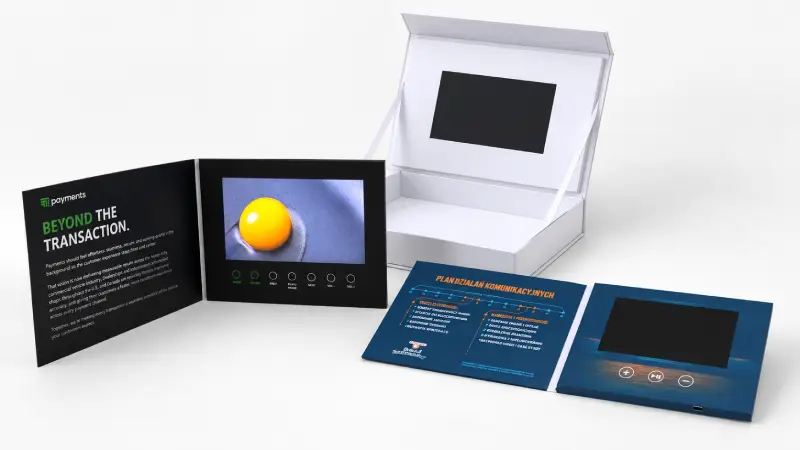
CheerTrend manufactures custom video boxes, video brochures and video mailers with configurable LCD screens, playback controls, memory, printing and packaging structures.
Whether your project needs to hold a physical product, present a launch video with printed information, or use a more compact format for direct distribution, the right structure depends on what you need to present and how the finished piece will be used.
Video Solutions for Product Launch & PR Kit Projects
Product launch and PR projects often need to present several types of information at the same time: video, printed brand content and, in some cases, a physical product or sample.
A physical video presentation combines these elements into a self-contained format with an integrated LCD screen and preloaded video content.
The structure can then be selected around the project itself.
Product Launches
Introduce a new product with preloaded video content that can show product features, demonstrations, brand stories or launch presentations.
Depending on whether a physical product needs to be included, the project can be built as a video brochure or a rigid video box.
PR & Media Kits
Combine branded printing and video content in a physical presentation for media contacts, partners or other selected recipients.
If the kit also contains a product sample or accessory, a video box provides additional internal space for an insert or compartment.
Product Sample Presentations
When the recipient needs to see both the physical product and supporting video content, a custom video box can position the product alongside the LCD screen.
The internal layout can be planned around the dimensions and placement of the items that need to go inside.
Promotional Campaigns
Video brochures, video boxes and video mailers can also be configured for promotional distribution where the presentation needs to arrive with the video already loaded and ready to play.
Choose a Video Format for Your Project
The first decision is not usually the screen size. It is the physical format. Start with what the recipient needs to receive.
Video Box
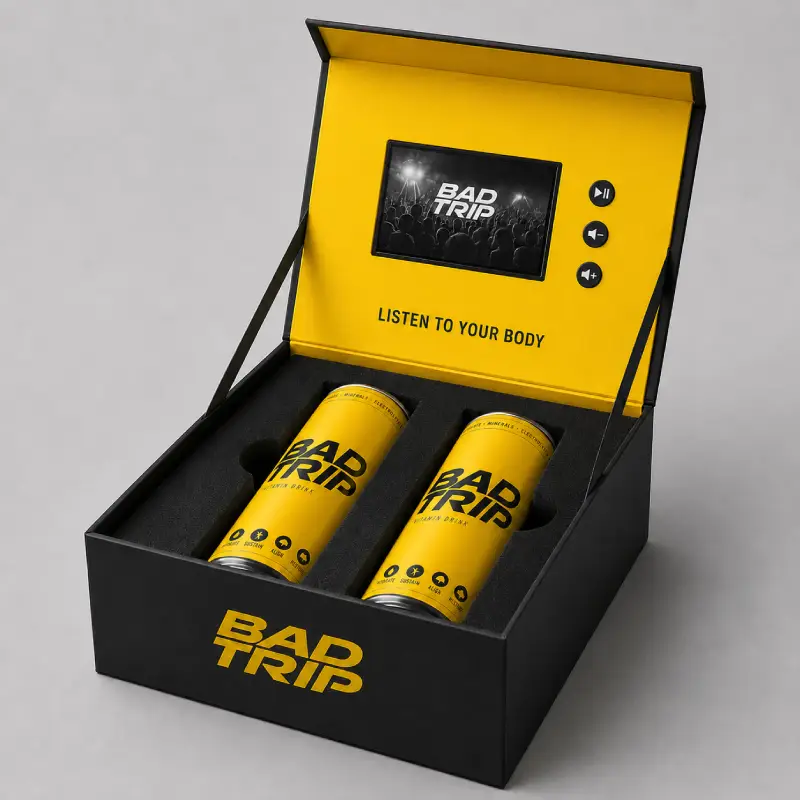
Consider a video box when your launch or PR kit needs to hold a physical product, sample, accessory or other item alongside the video screen.
The rigid structure provides space for custom inserts and compartments while keeping the screen integrated into the presentation.
Best starting point when: you need video + physical product in the same package.
[Explore Custom Video Boxes →]
Video Brochure
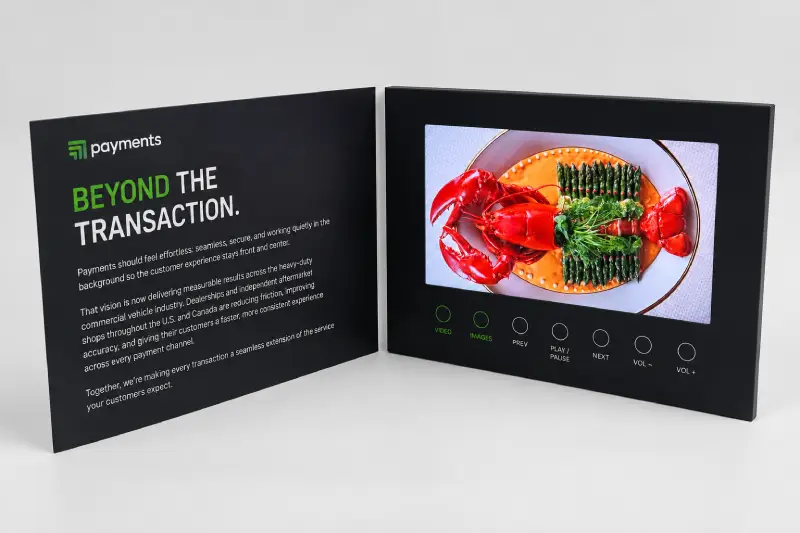
Consider a video brochure when the main requirement is to combine video playback with printed product, company or presentation information.
The flatter book-style format is suitable when there is no need for a deep compartment to hold a physical product.
Best starting point when: you need video + printed presentation.
Video Mailer
Consider a video mailer when the project calls for a more compact video presentation designed around direct distribution or mailing.
Best starting point when: you need a compact format for direct distribution.
(No CTA button here — Video Mailer product URL not yet confirmed. Add “Explore Custom Video Mailers →” once confirmed.)
| Project Requirement | Format to Consider |
|---|---|
| Physical product or sample inside the package | Video Box |
| Video plus printed presentation content | Video Brochure |
| Compact format for direct distribution or mailing | Video Mailer |
This is only a starting point. Final format selection can also depend on product dimensions, artwork, screen size, quantity and delivery requirements.
Need a more detailed format comparison?
[See our Video Mailer vs. Video Brochure Guide →]
Real Video Packaging Project Requirements
Custom launch and promotional projects are often defined by practical details rather than by the product name alone.
The following examples are based on real CheerTrend project requirements and show the kinds of structural and production questions that can affect a video packaging project.
Physical Product + Custom Foam Insert
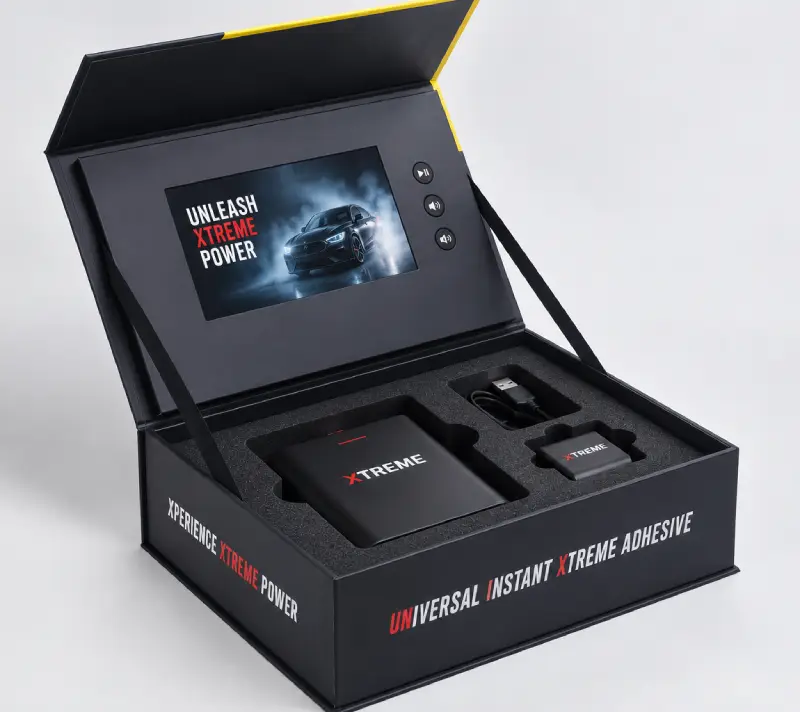
In one completed promotional video box project, the customer needed a small branded item positioned next to the LCD screen inside a custom-cut foam insert.
During the project, the depth of the insert had to be adjusted so the physical item sat at the correct height within the foam.
The same box structure was later reordered in another 500-unit batch with different printed versions.
What this project shows: when a launch or promotional package contains a physical item, its dimensions and placement should be confirmed before the internal insert is finalized.
Bulk Promotional Video Box Production
Another completed project involved 605 video boxes for a commercial print and promotional-products buyer.
The project used a standardized 7-inch video box configuration and was supplied for the reseller to use in its own promotional programs.
What this project shows: not every project requires a completely new structure. When a suitable standard configuration exists, buyers can start with the video box format and then determine the level of printing and packaging customization required.
Different Projects Need Different Physical Formats
A rigid video box is useful when there is a structural reason for the additional internal space. A video brochure provides a flatter alternative when the project mainly needs video and printed presentation content.
That distinction is important when planning a product launch: the box should not automatically be treated as an “upgrade” from the brochure. The physical requirements of the campaign should determine the format.
Configure the Package Around Your Product
If your project includes a physical product or sample, packaging design should begin with the item itself rather than with a predetermined box size.
Product & Package Dimensions
Before the internal structure is designed, confirm:
- Product dimensions
- Number of items inside the package
- Approximate position of each item
- Space required for accessories or cables
- Preferred overall package size, if already known
These details help determine the internal layout, insert dimensions and overall box structure.
If you already have the physical product, send us its dimensions together with photos or a layout showing how you would like the items positioned.
[See the Video Box Dimensions & Sizes Guide →]
Custom Inserts & Compartments
For video box projects, the internal space can be configured around the items that need to be presented.
Depending on the project, this may include:
- Custom-cut foam or EVA inserts
- Product cutouts
- Accessory compartments
- Charging-cable space
- Printed interior areas
The insert should be planned around the actual dimensions and thickness of the product rather than estimated only from photographs.
For projects with multiple items, provide the dimensions of each item before the structural layout is finalized.
Custom Printing & Finishing
The exterior and interior printed areas can be designed around your launch artwork and brand identity.
Depending on the project configuration and quantity, finishing options can include treatments such as matte or soft-touch surfaces, foil details, spot UV or embossing/debossing.
If your project requires a specific finish, include it when requesting a quotation so it can be evaluated together with the artwork, structure and quantity.
Manufacturer Insight: Start With the Physical Item
For a video box project, one of the most useful things you can send before the structural layout begins is the actual size of the product that will sit inside the box.
In a real promotional video box project, the foam depth had to be adjusted so the branded item sat level with the surrounding insert rather than too deep inside it. This is why we recommend confirming the product dimensions, thickness and intended placement before the insert layout is finalized.
If your launch kit contains several items, send the dimensions of each item together with a simple placement sketch or photo.
Configure the Video Experience
Once the physical format is clear, the LCD and playback configuration can be selected around the video content.
Choose the Screen Size
CheerTrend video products are available with multiple LCD screen sizes, including compact formats as well as larger presentation screens.
The appropriate screen depends on the size of the brochure or box, the type of video being shown and the viewing experience required.
A larger screen is not automatically the right choice for every launch project. The screen should fit the physical format and the content it needs to display.
Planning a video brochure?
[See our Video Brochure Screen Size Guide →]
Planning a video box?
[See the Video Box Buying Guide →]
Video Storage & Preloading
Video files can be preloaded before the finished products are shipped.
Memory capacity should be selected according to the size and number of video files rather than simply choosing a larger capacity by default.
If the selected configuration supports USB file updating, videos can also be replaced later by connecting the unit to a computer.
Before production, provide the final video files or expected file sizes so the appropriate memory configuration can be confirmed.
For brochure configurations:
[See the Video Brochure Memory Guide →]
Playback & Button Controls
Depending on the selected product configuration, playback options can include:
- Open-to-play / auto-play
- Play and pause
- Volume up and down
- Previous / next video
- Dedicated video-selection buttons
A project with one launch video may need very few controls, while a presentation containing several product chapters may benefit from dedicated selection buttons.
The button layout should therefore be planned together with the video structure and artwork.
What to Confirm Before Ordering
A clear project brief makes it easier to determine the appropriate format, structure and electronics before artwork and production begin.
Before requesting a detailed quotation, try to confirm the following:
Is the project video-only, or does it also need to hold a physical product, sample, accessory or printed material?
Video box, video brochure or video mailer. If you are unsure, start with the physical contents and intended distribution method rather than choosing the format first.
If you do not have a preferred size, provide the approximate overall dimensions of the presentation.
This helps determine both the playback structure and memory requirement.
For example: auto-play, play/pause, volume controls or individual video-selection buttons.
If yes, provide the dimensions of every physical item that needs to fit inside.
Include available artwork, logo files, printing requirements and any special finishing requests.
Quantity can affect the appropriate printing, structure and production approach.
Provide the destination country or postal code and your required in-hand date so production and shipping can be considered together.
How a Custom Product Launch Video Project Works
1. Share Your Project Requirements
Tell us what you are presenting, what needs to go inside the package, your estimated quantity and delivery destination. If a physical product is involved, provide its dimensions.
2. Confirm the Configuration
Based on the project requirements, confirm the physical format and relevant options, such as: video box, video brochure or video mailer; screen size; memory; playback controls; insert or compartment requirements.
3. Prepare Artwork & Structural Layout
Artwork is prepared around the selected product template or confirmed structure. For custom video boxes, the internal layout may also need to account for the dimensions and positions of physical products and accessories.
4. Confirm the Sample or Proof
Depending on the project, a sample or production proof can be used to check the structure, printing, screen placement and other key details before bulk production. Projects with custom inserts should pay particular attention to product fit at this stage.
5. Production & Functional Checks
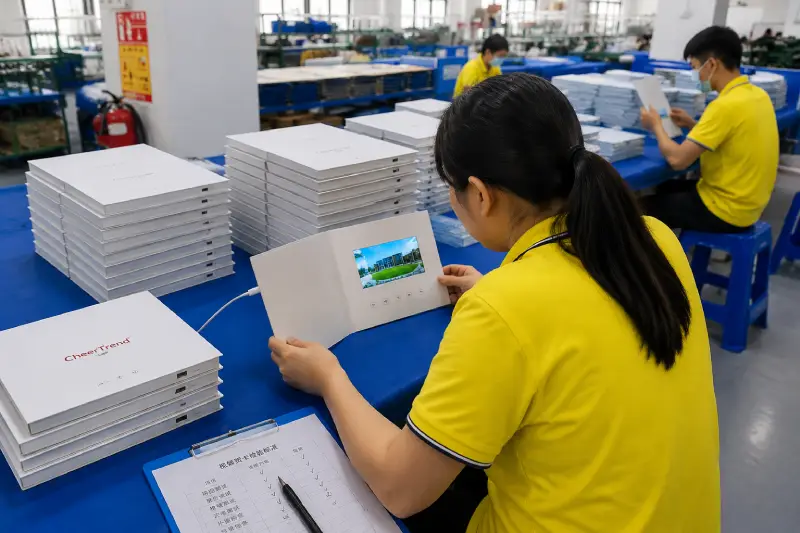
After the required details are approved, the project moves through printing, assembly, video loading and functional checks before packing.
6. Arrange Shipping
Shipping options are confirmed according to the order quantity, destination and required schedule. Exact production and delivery timing should be confirmed for each project rather than assumed from a standard lead time.
Frequently Asked Questions
Video packaging combines a physical printed presentation with an integrated LCD screen and preloaded video content. Depending on the project, it may take the form of a rigid video box, a book-style video brochure or a more compact video mailer. A video box is particularly useful when the presentation also needs to hold a physical product or sample.
Use a video box when the project needs internal space for a physical product, sample or accessory. Use a video brochure when the main requirement is video playback combined with printed presentation content and no deep product compartment is required. The choice should be based on the physical requirements of the project rather than treating one format as automatically better than the other.
Yes. A video box can be designed with a custom insert or compartment for physical products and accessories. Provide the dimensions of the items before the internal layout is finalized so the insert and overall box structure can be planned around them.
Yes. A PR kit video box can be customized with printed artwork, an integrated LCD screen, preloaded video content and an internal layout designed around the items included in the kit. The exact structure depends on the dimensions of those items and the required presentation layout.
CheerTrend offers multiple LCD screen sizes for video brochures, mailers and boxes, including commonly used 4.3-inch, 5-inch, 7-inch and 10.1-inch formats. Available screen options depend on the selected product structure, so the screen and overall dimensions should be considered together.
Yes. Final video files can be loaded onto the units before shipment. Memory capacity and playback setup should be confirmed according to the number and size of the video files. For configurations that support USB updating, the files can also be changed later from a computer.
For an initial project review, provide: estimated quantity; preferred format or application; screen-size preference, if known; video files or estimated file sizes; logo and artwork requirements; physical product dimensions, if the package holds a product; delivery destination; and required delivery date.
For brochure projects:
[See Video Brochure File Requirements →]
Related Product Launch & Video Packaging Guides
Video Box Buying Guide
Planning a rigid video presentation box? Learn what to consider when choosing the box structure, screen, insert, printing and other project specifications.
[Read the Video Box Buying Guide →]
Video Box Dimensions & Sizes Guide
If your project needs to hold a product or sample, start with the dimensions of the physical items and learn how they affect the overall box structure.
[View the Dimensions Guide →]
Video Mailer vs. Video Brochure
Compare two flatter video presentation formats and understand when each structure makes sense for distribution and presentation projects.
[Compare Video Mailers & Video Brochures →]
Video Brochure File Requirements
Prepare the artwork and video files needed for a custom video brochure project before production begins.
[View File Requirements →]
Planning a Product Launch or PR Kit?
Tell us what you plan to present or place inside the package, your preferred screen size, estimated quantity, video requirements and delivery destination.
If you are not sure whether your project should use a video box, video brochure or video mailer, send us the basic project requirements first. We can review the physical contents and presentation needs before the final format is selected.