
Video Brochures for Healthcare & Medical Sales
Present medical devices, product demonstrations and technical information in a physical format with a built-in LCD screen.
CheerTrend is a custom video brochure manufacturer supplying healthcare companies, medical device manufacturers and professional sales teams with configurable LCD video brochures and video books.
Choose the screen size, memory, video buttons, playback functions, hardcover structure and custom printing to match your presentation requirements.
What Is a Medical Video Brochure?
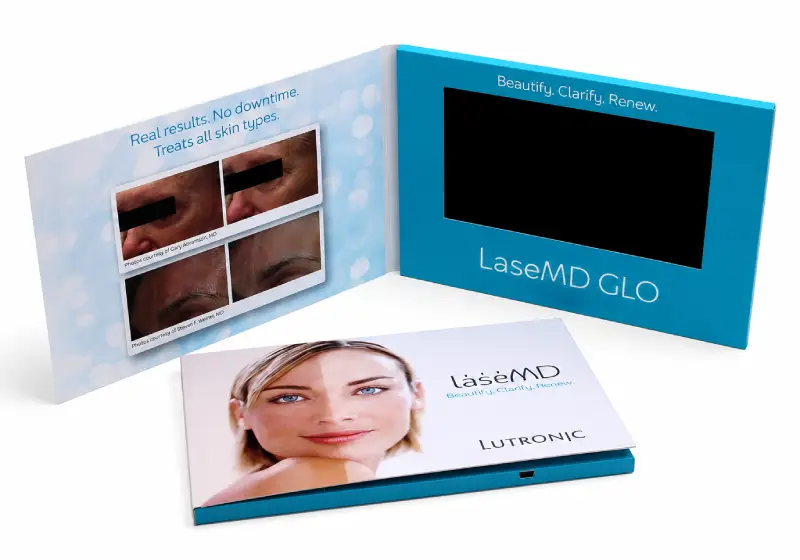
A medical video brochure is a printed presentation with a built-in LCD screen that plays preloaded video content directly from internal memory.
Unlike an online video link, the video is stored locally in the device, so normal playback does not require Wi-Fi or an internet connection.
Healthcare and medical device companies can use video brochures to combine printed information, product video and physical presentation in one format.
Key Facts
| Feature | How It Works |
|---|---|
| Video Playback | Videos are preloaded to internal memory and play directly from the device. |
| Internet Connection | Wi-Fi or internet access is not required for normal video playback. |
| Screen Options | Common configurations include 4.3″, 5″, 7″ and 10.1″ LCD screens. |
| Playback Mechanism | Playback can start automatically when the cover opens using a magnetic activation system, or be controlled by physical buttons. |
| Video Controls | Video selection, play/pause, volume and other button functions can be configured depending on the project. |
| Content Updates | Video files can be loaded during production and, depending on the configuration, updated through USB. |
Where Medical Video Brochures Are Used
Medical and healthcare projects vary significantly in audience, content and presentation requirements. The hardware configuration should therefore be selected around the intended application rather than choosing a screen size alone.
Medical Device Sales & Product Demonstrations
Video brochures can show how a medical device looks, operates or is assembled while printed pages provide supporting product information.
For sales teams presenting products in person, dedicated video buttons can also provide direct access to different demonstrations or product sections.
Healthcare Sales Presentations
A video brochure can combine company information, product presentations and sales content in one portable physical presentation.
Depending on the amount of visual detail required, compact 4.3-inch and 5-inch formats or larger 7-inch and 10.1-inch formats can be used.
Product Launches & Professional Events
Video brochures and LCD video books can be prepared for product launches, conferences, exhibitions and other professional presentations.
Preloaded playback allows the presentation to operate independently of venue Wi-Fi or online streaming.
Healthcare Education & Training
When a project requires instructional or technical video content, multiple videos can be organized into separate sections using dedicated buttons.
This can be useful for presenting product operation, setup, assembly or other structured educational content.
Sample orders typically ship within 2 business days.
Video Brochure vs. LCD Video Book for Medical Presentations
Medical and healthcare projects can use either a standard video brochure or a more substantial LCD video book, depending on the presentation format and intended use.
Video Brochure
A video brochure combines a printed cover with an integrated LCD screen and is commonly used for product introductions, sales presentations, event materials and portable marketing applications.
Compact 4.3-inch and 5-inch formats work well when portability is important, while 7-inch formats provide more viewing area for detailed product demonstrations.
LCD Video Book
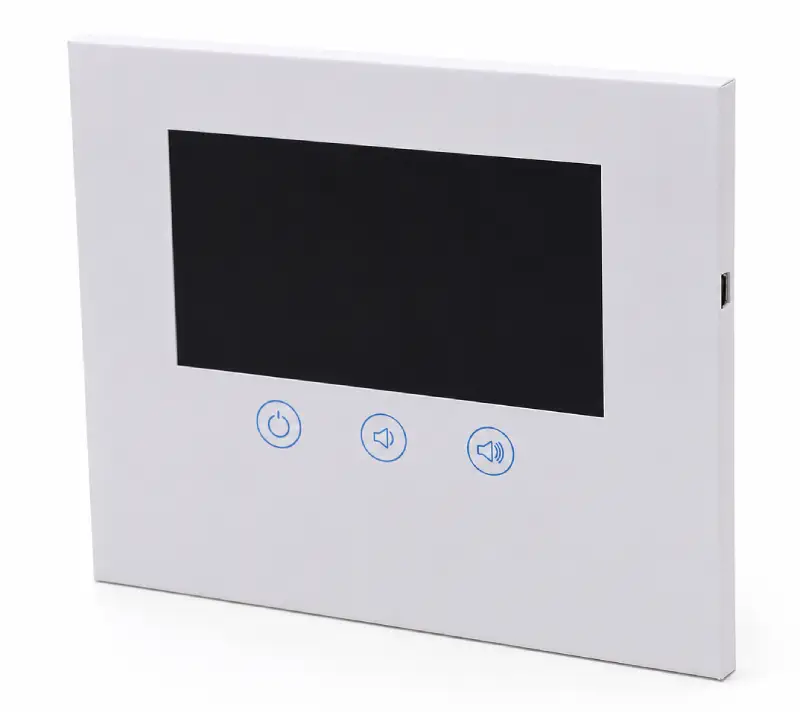
An LCD video book uses a more substantial book-style or hardcover structure with an integrated LCD screen.
The larger physical format provides more space for the screen, printed information and navigation controls, making it suitable for detailed product demonstrations, technical presentations and multi-video content.
7-inch and 10.1-inch screens are common options for larger hardcover presentations.
Which Format Should You Choose?
Choose a video brochure when portability, compact dimensions and cost efficiency are priorities.
Choose an LCD video book when the project requires a larger hardcover presentation, a bigger viewing area or additional space for printed and video content.
Choosing the Right Screen Size for a Medical Video Broch
Screen size affects the overall presentation dimensions, viewing area, cover structure and project cost.
There is no single screen size that is suitable for every medical presentation.
| Screen Size | Typical Format | Often Suitable For | Main Consideration |
|---|---|---|---|
| 4.3″ | Compact video brochure | Short product introductions and portable presentations | Smallest viewing area |
| 5″ | Video brochure / A5-style format | General product and sales presentations | Balance between size and cost |
| 7″ | Video brochure / LCD video book | Detailed demonstrations and multi-video presentations | Larger viewing area |
| 10.1″ | Large hardcover / LCD video book | Technical presentations and visually detailed content | Larger overall presentation format |
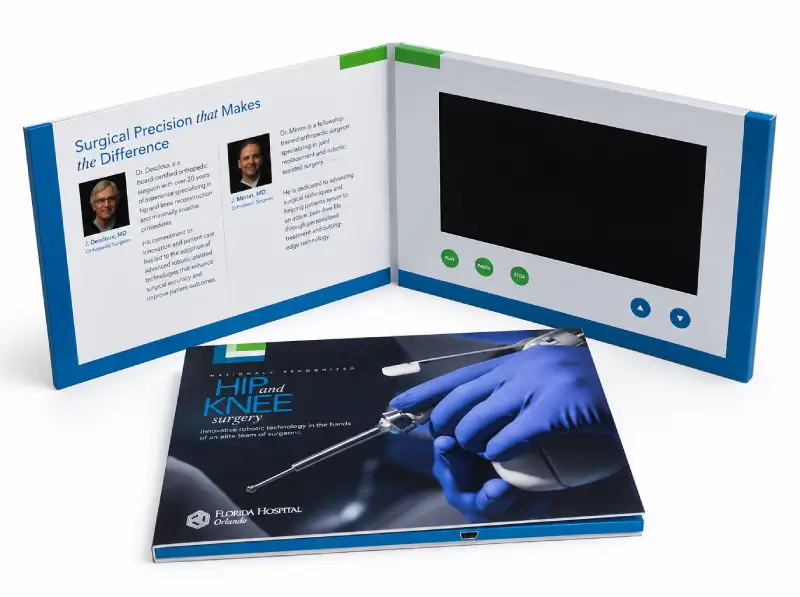
For projects involving detailed demonstrations, diagrams or multiple video chapters, a larger screen may make the content easier to present.
For shorter sales presentations where portability matters more, a smaller format may be sufficient.
Real Medical & Healthcare Project Examples
The following examples are based on actual CheerTrend projects. Customer and brand names are intentionally omitted.
Project Example 01 — Medical Device Video Brochure
Industry: Medical Device
Market: United States
Quantity: 300 pcs
Order Type: Repeat Production Order
Hardware Format: 7-inch hardcover video brochure
Controls: Chapter navigation buttons with playback controls
Project Application
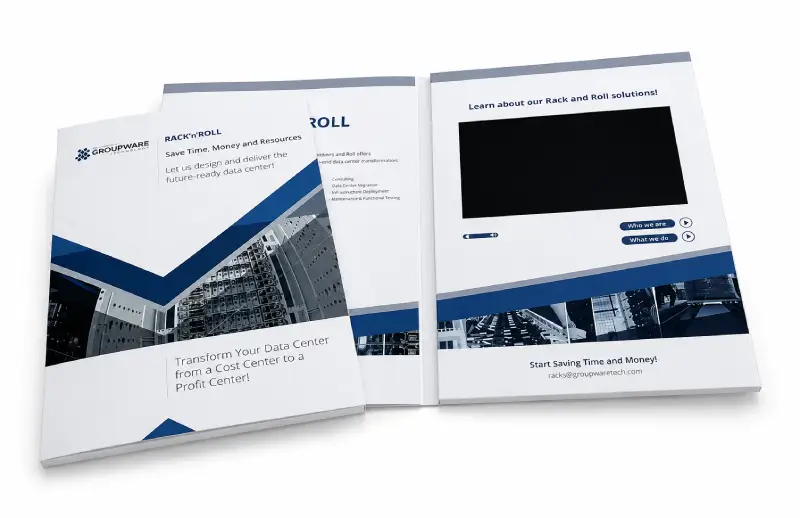
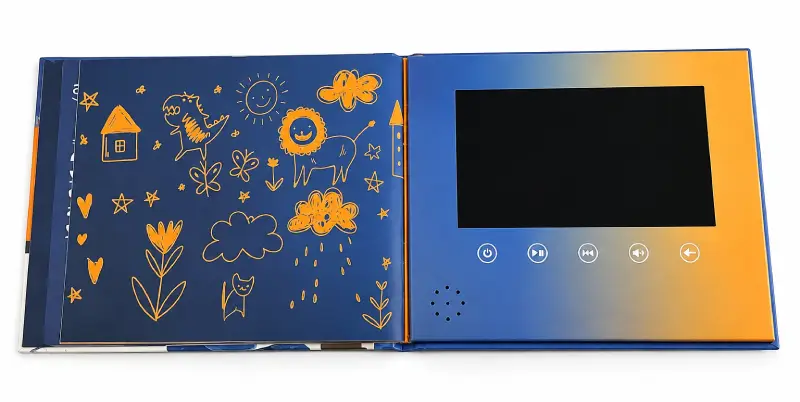
A 7-inch hardcover video brochure was produced for a U.S. medical device project.
After the initial 300-piece production order was completed, the customer placed another 300-piece repeat order.
The repeat configuration included chapter navigation together with playback controls, allowing different sections of the presentation to be accessed directly.
Project Example 02 — Large Medical Presentation Project
Industry: Medical / Healthcare
Market: United States
Quantity: 1,020 pcs
Hardware Format: 7-inch hardcover video brochure
Project Status: Production completed
Project Application
This project used a 7-inch hardcover format for a larger-volume U.S. medical presentation program.
A total of 1,020 pieces were produced.
The project demonstrates that the same general LCD video brochure format can be used not only for small presentation runs but also for larger production quantities.
Project Example 03 — Orthopedic Conference Presentation
Industry: Orthopedic / Medical
Market: United States
Quantity: 5 pcs
Screen Size: 10-inch
Application: Conference presentation
Project Status: Produced, shipped and received
Project Application
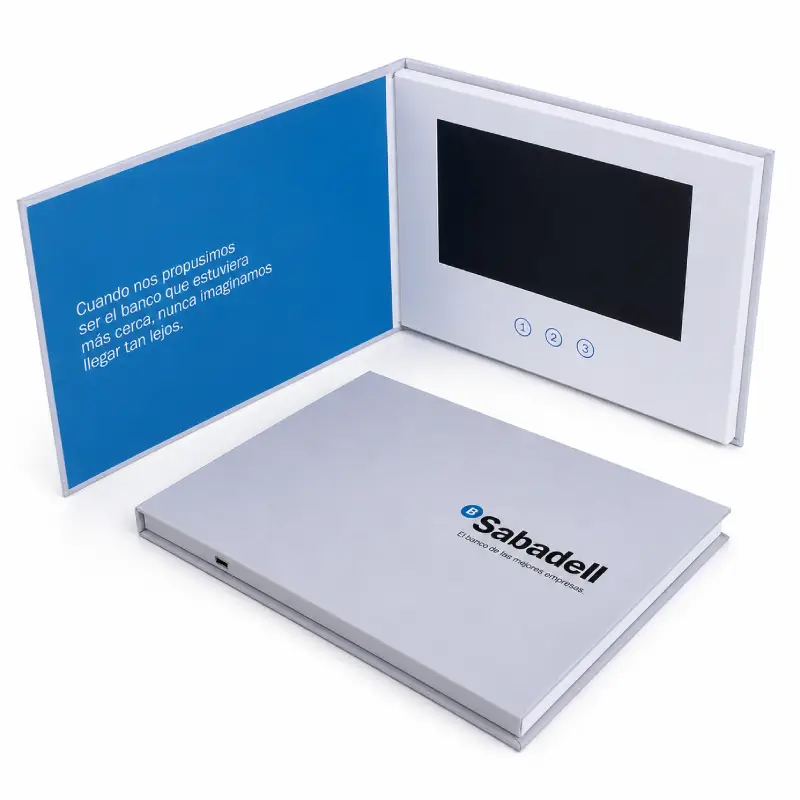
For this smaller medical project, the customer selected a 10-inch screen format for a conference presentation.
Only 5 pieces were required, showing how custom LCD presentations can also be produced for smaller professional projects where a larger viewing area is preferred.
The customer confirmed receipt before the conference.
Project Example 04 — Medical Presentation Video Book
Industry: Medical / Healthcare
Market: United States
Quantity: 25 pcs
Hardware Format: 7-inch hardcover
Project Status: Completed
Project Application
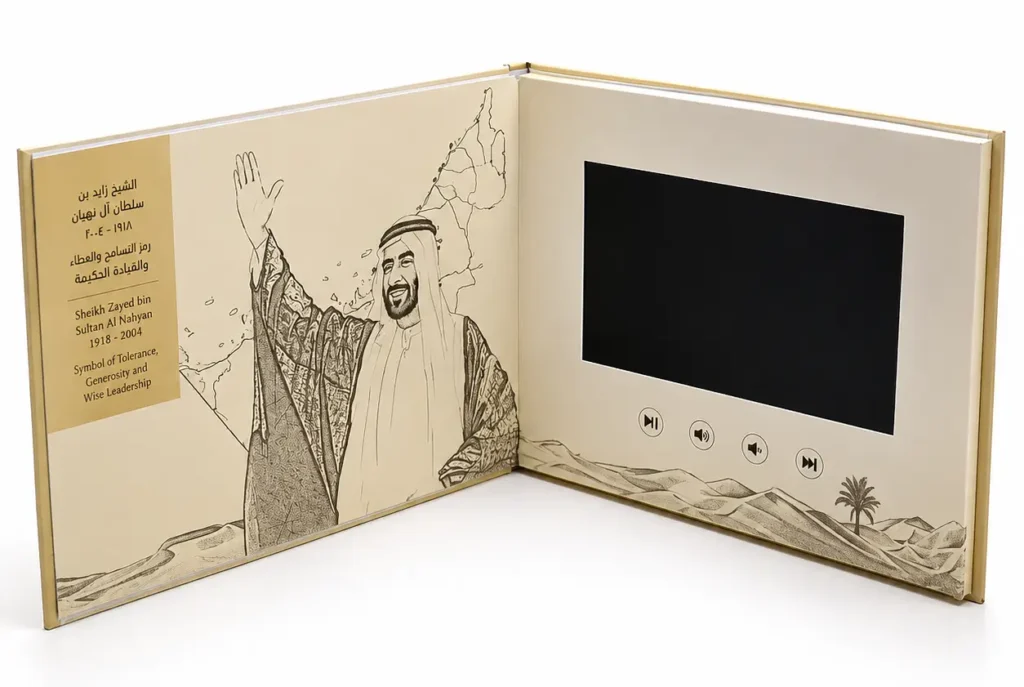
This project used a 7-inch hardcover presentation format for a 25-piece medical project.
It represents another type of healthcare requirement where the buyer needed a relatively small quantity rather than a large-volume production run.
Medical Video Brochure Configuration Options
The right configuration depends on the video content, presentation environment, physical format and required user controls.
LCD Screen
Available screen sizes include:
- 4.3-inch
- 5-inch IPS
- 7-inch IPS
- 10.1-inch IPS
Larger screens provide more viewing area for demonstrations and detailed visual content, while smaller screens allow a more compact presentation format.
Memory & Video Storage
Video brochures use internal memory to store preloaded video files.
Memory capacity should be selected according to the total size of the final video files, rather than video duration alone.
Available memory configurations can range from smaller capacities for simple presentations to several gigabytes for projects containing larger or multiple video files.
Buttons & Video Navigation
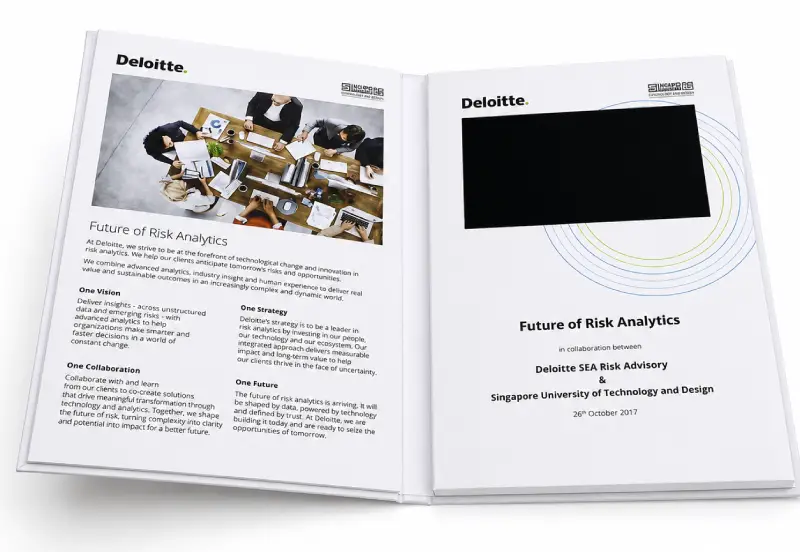
Physical buttons can be configured for functions such as:
- Video selection
- Previous / next video
- Play / pause
- Volume up / down
- Mute
- ON / OFF
Auto-Play on Opening
A magnetic activation system can be used to start playback when the cover is opened.
This allows the presentation to begin without requiring the viewer to locate a power button.
Button-operated playback can also be used when manual control is preferred.
Custom Printing & Cover Structure
Medical video brochures can be produced with custom printed covers and different physical structures.
Options may include softcover or hardcover construction, depending on the required presentation format.
Artwork should be prepared using the correct production template for the selected screen, cover and button configuration.
Organizing Medical & Technical Video Content
The hardware should support the way the information needs to be presented.
For this reason, video structure should ideally be considered before the final button layout and artwork are approved.
Single-Video Presentation
For a straightforward product introduction, one main video can start automatically when the brochure is opened.
This keeps the interaction simple and is suitable when the presentation follows one continuous sequence.
Multi-Video Presentation
When several types of information need to be presented separately, dedicated video buttons can provide direct navigation.
For example:
- Button 1 — Product Overview — Introduces the product and its primary application.
- Button 2 — Product Demonstration — Shows how the product or device is used.
- Button 3 — Technical Features — Presents selected functions, specifications or product details.
- Button 4 — Installation / Setup — Provides visual setup, assembly or installation information.
Multi-video medical video brochures can use dedicated buttons to give sales teams and viewers direct access to different product demonstration, technical and setup videos.
The actual video structure and button functions can be customized for each project.
What to Confirm Before Ordering
- Screen Size — Choose according to the overall presentation size and level of visual detail required.
- Brochure or Video Book Format — Decide whether the project requires a compact video brochure or a larger hardcover LCD video book.
- Final Video Files — Check the number of videos, file sizes and required playback sequence.
- Memory Capacity — Select memory according to the total size of the final video files.
- Button Functions — Define whether you need video selection, play/pause, volume, mute or other controls.
- Auto-Play Requirement — Confirm whether playback should start automatically or require manual operation.
- Finished Size & Cover Structure — Confirm required dimensions and softcover vs. hardcover.
- Printing Artwork — Prepare artwork using the production template for the final hardware configuration.
- Quantity — Confirm the required production quantity.
- Delivery Requirements — Provide the destination and required delivery date.
How Custom Medical Video Brochures Are Produced
- Define the Configuration — Confirm screen size, memory, buttons, playback functions, cover structure and quantity.
- Prepare the Artwork — CheerTrend provides an artwork template based on the selected configuration.
- Confirm the Video Content — Final video files are checked for storage requirements and prepared for preloading.
- Sample or Production Approval — Depending on the project, a sample or production mockup can be prepared before full production.
- Printing & Assembly — The printed cover, LCD module, electronics, battery, speakers and controls are assembled into the finished presentation.
- Video Preloading & Testing — Video content is loaded into internal memory; playback, buttons, charging and screen functions are checked.
- Packing & Shipping — Finished units are packed and prepared for shipment to the required destination.
Frequently Asked Questions
No. Videos are stored in internal memory and normal playback does not require Wi-Fi or an internet connection.
Yes. Customer-supplied video files can be preloaded during production.
Yes. Multiple video files can be stored in one unit, subject to available memory capacity. Dedicated buttons can also be configured to open individual videos.
Yes. A magnetic activation system can be configured so playback starts when the cover opens.
Common options include 4.3-inch, 5-inch, 7-inch and 10.1-inch LCD screens.
A video brochure is generally a more compact printed presentation with an integrated LCD screen. An LCD video book typically uses a larger or more substantial hardcover structure and can provide more space for the screen, printed content and navigation controls.
7-inch and 10.1-inch formats provide a larger viewing area and may be better suited to presentations containing detailed demonstrations or visual information. The best option still depends on the content, finished size and budget.
Yes. Production quantity depends on the project. CheerTrend has handled both small presentation projects and larger production runs.
Depending on the configuration, video files can be updated through a USB connection. This requirement should be confirmed when defining the project.
Yes. The cover artwork, screen position and button layout can be customized according to the selected product structure and production template.
CheerTrend’s video brochures are presentation and communication products. They should not be described as medical-grade devices or certified medical equipment unless a specific product has been tested and certified to the applicable requirements.
Related Video Brochure Guides
Not sure which screen size fits your project? Our screen size guide breaks down how size affects viewing area, format and cost.
Need help estimating memory? See our memory guide for how video file size — not duration — determines the right capacity.
Planning button functions and video navigation? Check our buttons guide for common configurations.
Preparing video files for preloading? Our file requirements guide covers formats and specifications.
Curious how a custom video brochure is actually made? Walk through our production process from configuration to shipping.
Planning a Medical or Healthcare Video Brochure Project?
Send us your screen size, quantity, video requirements and preferred presentation format.
CheerTrend can help you review the configuration and prepare the appropriate artwork template before production.
Primary CTA: Request a Mockup & Quote
Secondary CTA: Contact CheerTrend
Get Your Factory Quote
Lorem ipsum dolor sit amet, consectetur adipiscing elit. Ut elit tellus, luctus nec ullamcorper mattis, pulvinar dapibus leo.