
Technical Guides for Custom Video Brochures
Planning a custom video brochure involves more than choosing a screen size and printed cover.
Before production, it is important to confirm your video files, artwork, memory capacity, battery requirements, button functions, and video upload method. These technical choices affect how your finished video brochure looks, plays, and performs.
This technical guide hub is designed for B2B buyers, marketing teams, agencies, printers, packaging companies, and procurement teams preparing custom video brochure projects before production.
Use the guides below to prepare your project and choose the right configuration.
Get a Free Quote + Artwork Template
Video & Artwork File Preparation
Video brochure file preparation
involves matching the video format, resolution, aspect ratio, file size, and artwork layout to the selected screen and brochure configuration.
Preparing the correct files before production helps avoid playback, layout, and printing issues.
Video Brochure File Requirements
Learn how to prepare video files for a video brochure, including recommended file formats, resolution, aspect ratio, file size, and other playback considerations.
Video Brochure Artwork Template
Learn how to prepare your print artwork using a video brochure template or dieline, including screen position, button locations, bleed, folds, and other important artwork requirements.
Uploading & Preloading Videos
Video brochure uploading allows video files to be added or replaced through a USB connection, while custom production orders can also be supplied with videos preloaded before shipment.
How to Upload Videos to a Video Brochure
Learn how to connect a video brochure to a computer, add or replace video files, and maintain the correct file structure for playback.
This is especially useful if you plan to update your content after receiving the finished brochures.
Factory Video Preloading
For custom production orders, your final video files can be preloaded before shipment so the finished brochures arrive ready to use.
Factory video preloading is particularly useful for bulk orders, multi-video brochures, sales kits, trade show materials, and projects where each unit needs to be ready for distribution or presentation upon delivery.
For projects with multiple videos or custom button functions, the playback sequence and button assignments can be confirmed before production.
Memory & Storage
Video brochure memory is built-in storage for video files, with common capacities from 128MB to 8GB. The required capacity depends primarily on the total size of the videos.
Video Brochure Memory & Storage Guide
Video brochures are available with different memory capacities for short presentations, multiple videos, or larger media files.
The right capacity depends on:
- Total video file size
- Number of videos
- Video compression and quality
- Whether content will be updated later
Our memory guide explains the common storage options and how to choose a suitable capacity without paying for unnecessary storage.
Battery & Power
Video brochure battery capacity determines available playback time between charges and should be selected according to screen size, expected usage, playback requirements, and product structure.
Video Brochure Battery Capacity Guide
Learn about common battery configurations, playback considerations, charging, and the factors to consider when selecting a battery for your project.
This is particularly important for video brochures used at events, sales presentations, product launches, or other situations where repeated playback may be required.
Buttons & Playback Options
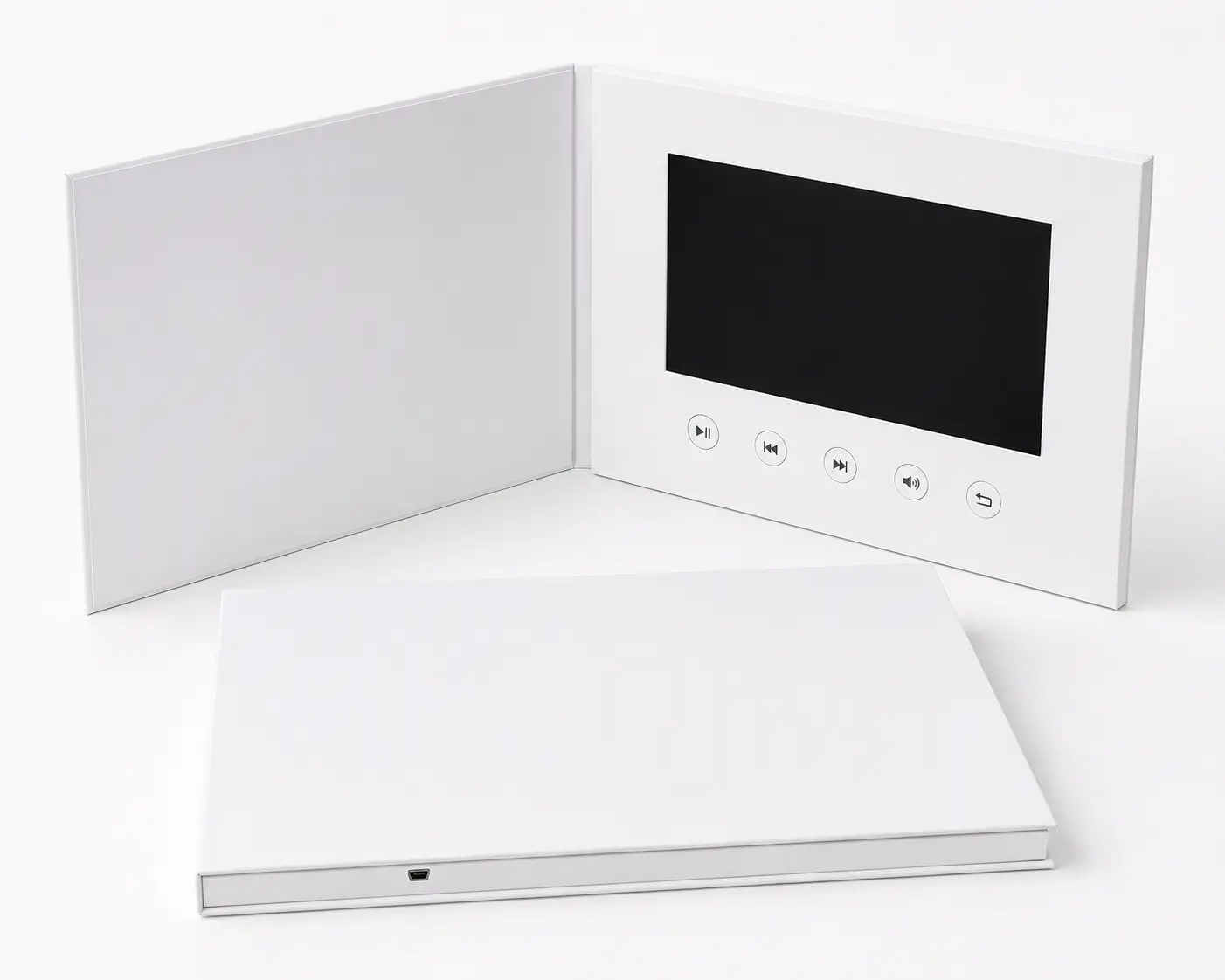
Video brochure buttons control playback functions such as play/pause, volume, previous/next, or individual video selection, while auto-play can start the video automatically when the brochure opens.
A simple video brochure may only need automatic playback when the cover is opened, while more advanced projects can provide multiple video selections and playback controls.
Video Brochure Button Options Guide
Explore common control options including:
- Play / Pause
- Volume + / –
- Previous / Next
- Individual video selection
- Custom chapter buttons
- Auto-play when opened
Button functions and layouts can be customized according to the number of videos and the way you want users to navigate the content.
Technical Checklist Before Production
Before placing a custom video brochure order, it is helpful to confirm:
- Screen size and orientation
- Finished brochure size
- Final print artwork
- Video format and file size
- Number of videos
- Required memory capacity
- Button functions
- Auto-play or manual playback
- Battery requirements
- Whether videos should be preloaded before shipment
- Target delivery date
- Shipping destination
You do not necessarily need to determine every technical specification yourself. A manufacturer can recommend the appropriate configuration based on your content, application, quantity, and project requirements.
Need Help Choosing the Right Setup?
If you are planning a custom video brochure project, send us your screen size, quantity, video length or file size, artwork status, target delivery date, and shipping destination.
We can review your project and recommend a suitable memory capacity, battery, button layout, and video setup before production.
Request a Video Brochure Recommendation →
Frequently Asked Questions
For most custom projects, you will need final print artwork and the video files you want loaded onto the brochure. Button instructions and playback requirements should also be provided if your project uses multiple videos or custom controls.
Yes. Video files can be loaded onto the video brochures during production so the finished units arrive ready to use.
Most standard video brochures allow video files to be updated through a USB connection. The exact procedure can depend on the playback and button configuration.
Memory requirements depend mainly on the total size of your video files. Short, compressed videos may require relatively little storage, while multiple or larger files require more capacity.
Common options include play/pause, volume control, previous/next, and individual video selection. Auto-play when the brochure is opened is also commonly available.
Not necessarily. Battery capacity can be recommended according to the screen size, expected playback requirements, brochure structure, and intended application.
Related Video Brochure Guides
Technical specifications are only one part of planning a custom video brochure. Explore these related resources for additional purchasing and production information.
Video Brochure Sizes
Compare common screen sizes, brochure formats, and layout options.
Video Brochure Cost Guide
Understand the main factors that affect custom video brochure pricing.
Video Brochure Examples
Explore different video brochure configurations and project applications.
How Video Brochures Are Made
See how custom video brochures move through printing, electronics assembly, video loading, assembly, testing, and quality control.
Video Brochure FAQ
Find answers to common questions about customization, ordering, production, and using video brochures.
Ready to Confirm Your Video Brochure Setup?
Every custom video brochure project is different — the right memory capacity, battery, and button configuration depend on your video content, quantity, and how the finished piece will be used.
Send us your screen size, quantity, video length, artwork status, and target delivery date, and our team will recommend a suitable configuration before production begins — so you can move forward with confidence, not guesswork.
Get a Free Configuration Recommendation →