
Video Brochures for Sales Presentations
Use video brochures to combine preloaded video, printed information and physical presentation materials in one sales tool.
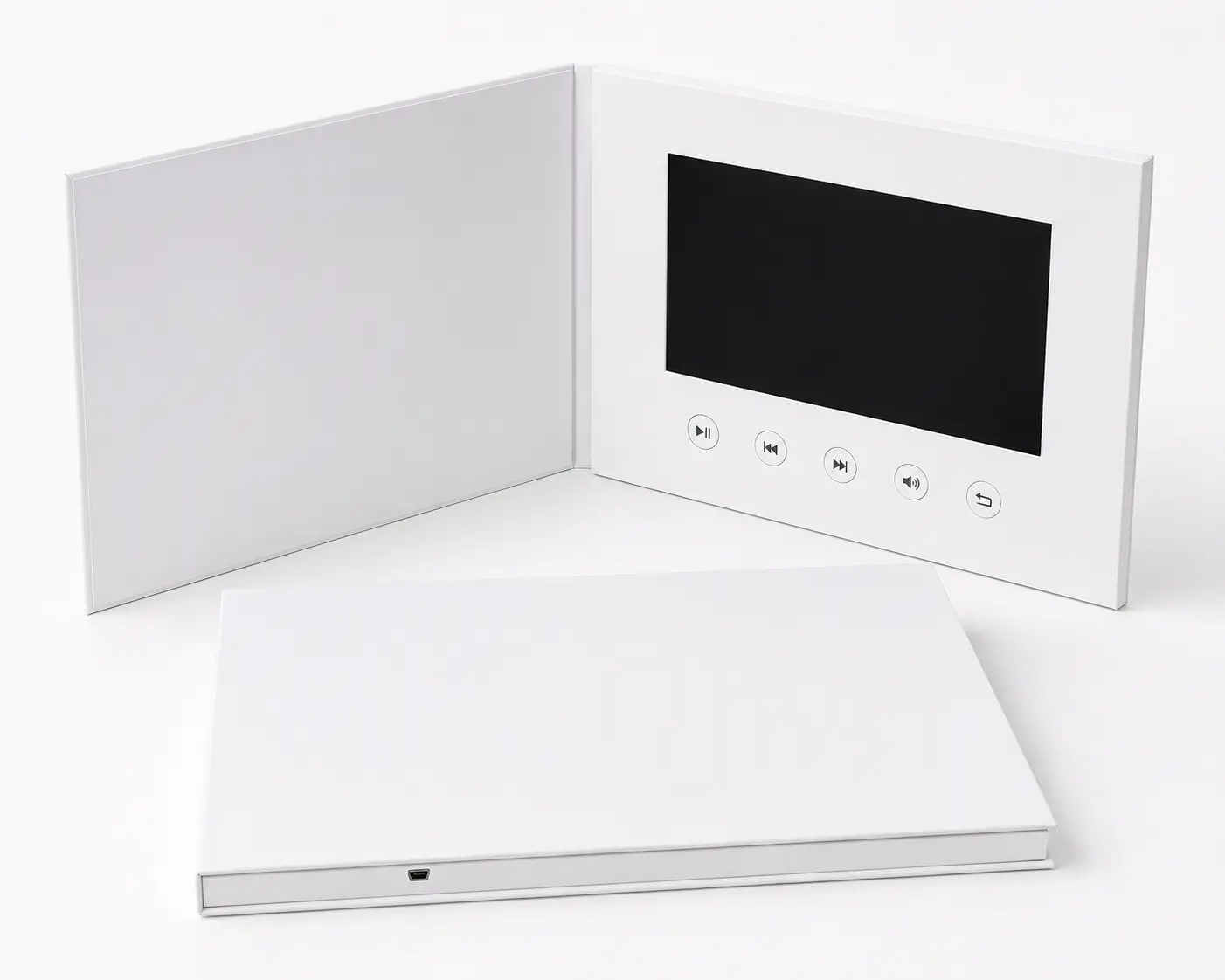
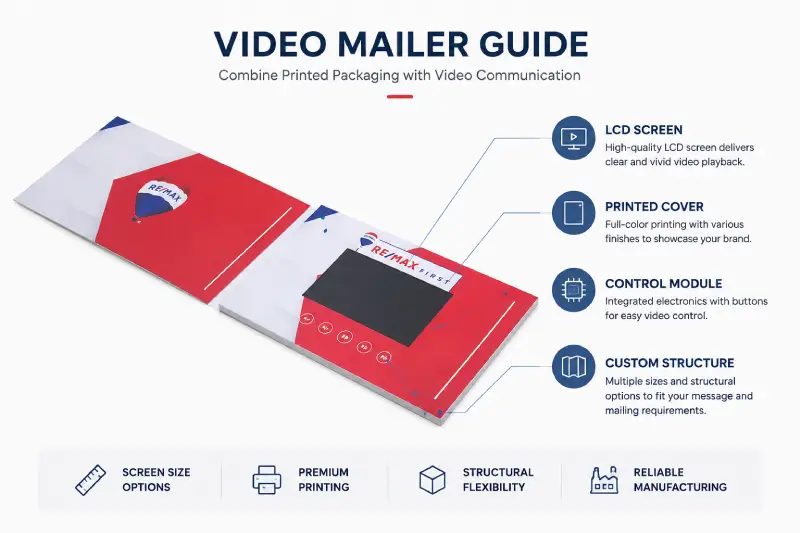
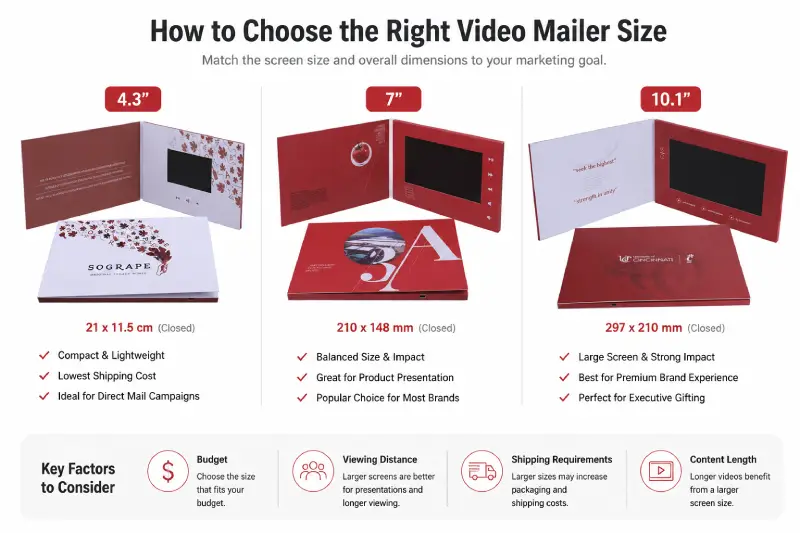
CheerTrend manufactures custom LCD video brochures for client meetings, product and service presentations, and leave-behind materials. Choose the screen size, number of videos, playback controls, memory, cover structure and custom printing around the way your sales team presents.
Where Video Brochures Fit in the Sales Process
A sales presentation does not always happen on a large screen or in a formal meeting room. Sales teams need something that works at different points in the conversation — introducing an idea, showing how something works, and staying with the customer after the meeting ends.
Opening the Conversation
A video brochure can open a meeting the same way a slide deck would, but without needing a laptop, projector or Wi-Fi connection. The sales representative introduces the company or solution verbally, then triggers a short video at the moment it adds the most value — rather than presenting through a screen for the entire meeting.
Demonstrating the Product or Service
Some products and services are easier to understand when the customer can see them in motion. A process, an application, or a piece of equipment in use is often clearer on video than in a static image or verbal description. The printed pages around the screen can then carry the details that don’t need motion — specifications, diagrams, pricing structures or contact information.
After the Meeting Ends
Not every decision-maker is in the room. A video brochure left behind carries the same presentation content to colleagues, budget holders or other stakeholders who review it later, without depending on the sales rep to explain it again. This is often where a video brochure does more than a standard leave-behind — the presentation itself travels, not just a summary of it.
Who Uses Video Brochures for Sales Presentations
Sales presentation use spans several industries and roles.
Real Estate Brokers and Agents
Used in listing and broker presentations.
Real Estate Video Brochures → /video-brochure-real-estate/
Medical and Healthcare Sales Teams
Video brochures can support in-person presentations where video and printed technical information need to stay together.
Medical Video Brochures → /medical-video-brochures/
Marketing and Creative Agencies
Agencies may use video brochures for client pitches, campaign presentations or projects produced on behalf of their customers.
Video Brochures for Agencies & Distributors → <!– link placeholder: /video-brochures-agencies-distributors/ — page not yet confirmed live –>
Corporate and B2B Sales Teams
Video brochures can be used to present a service, proposal or company overview during client meetings and other business presentations.
The examples below show how this has worked in practice.
Plan the Presentation Content Before Production
Before choosing the final hardware configuration, decide what the sales representative needs to present during the meeting and what the customer may need to review afterward.
A simple presentation may use one main video that plays automatically. A presentation covering several topics may instead need separate video sections that the viewer can access independently — for example, a company introduction, a product overview, an application demonstration or a technical explanation. Printed areas can carry specifications, diagrams, contact details and other information that does not need motion.
Once the content structure is clear, the number of videos, navigation controls and required storage can be confirmed against the configuration guides below.
Planning several videos? → Video Brochure Buttons Guide → /video-brochure-buttons-guide/
Need to estimate storage? → Video Brochure Memory Guide → /video-brochure-memory-guide/
Preparing final files? → Video Brochure File Requirements → /video-brochure-file-requirements/
Real Sales Presentation Projects Across Industries
CheerTrend’s project history includes video brochures and video books used in different business presentation settings.
Hospitality — Sales Calls
Video books/video brochures produced for a U.S. hospitality customer, for use directly in sales calls.
Real Estate — Broker Presentations
50 × 7-inch video brochures prepared for a U.S. real estate broker presentation project, from artwork approval through to goods-ready-to-ship.
Medical — Conference Presentation
5 × 10-inch video books/brochures produced and shipped for a U.S. medical customer, received before the conference.
Customer identities are omitted. Project details are based on CheerTrend production and order records.
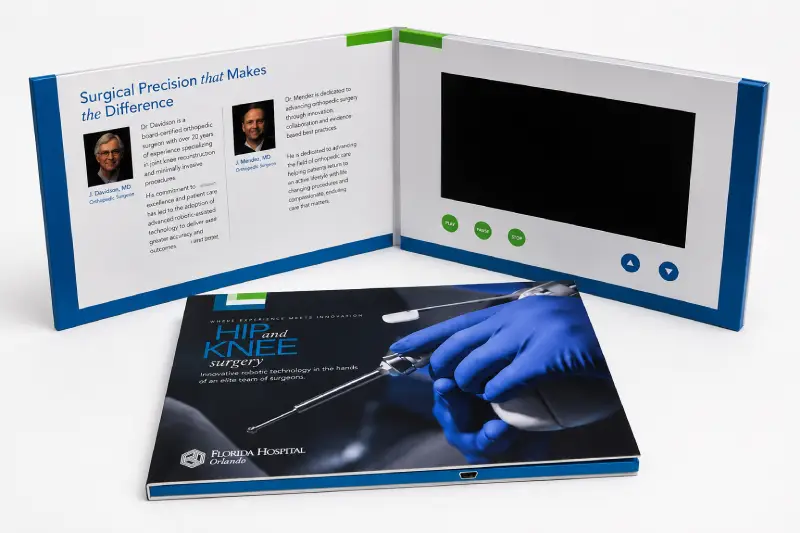
See how video brochures are configured for a specific industry:
Real Estate Video Brochures → /video-brochure-real-estate/
Medical Video Brochures → /medical-video-brochures/
Other Formats for Different Sales Situations
For most projects on this page, the video brochure is the primary format. Depending on the presentation, one of these alternatives may fit better:
LCD Video Book
When the presentation calls for a larger hardcover format or more printed space — executive presentations, detailed project introductions.
Explore LCD Video Books →
<!– link placeholder: /lcd-video-books/ — page not yet confirmed live –>
Video Presentation Box
When the presentation also includes a physical product or sample, a presentation box lets the screen and product compartment share one package.
Explore Video Presentation Boxes → /video-presentation-boxes/
Video Mailer
If the material needs to reach the prospect before a meeting, or as part of a direct-mail campaign.
Explore Video Mailers → /video-mailer/
Manufacturer Insight: Define the Presentation Before the Artwork
Changes to the video structure can affect the artwork layout. Adding another video or changing how viewers navigate between sections may also change button positions and other layout details.
For this reason, it helps to define the number of video sections and the role of the printed content before final artwork begins. The videos do not necessarily need to be fully finished at this stage, but the planned content structure should be clear enough to confirm the layout.
What to Prepare for a Sales Presentation Project
Before requesting a quotation, it helps to share how your sales team plans to use the brochures.
- Where will it be used? Sales meetings, customer visits, conferences, mailed outreach.
- How many pieces? Small evaluation batch, a specific campaign, or a sales-team rollout.
- What’s the content structure? One main presentation, or several sections your team needs to navigate.
- What belongs in print vs. video? Specifications, diagrams and contact details in print; demonstrations and explanations in video.
- Do you need more than one version? Different markets, languages, products or customer groups.
- Delivery destination and required date.
If you already have a preferred screen size, memory or button layout, share it and we’ll confirm it. If not, use the related screen size, memory and button guides to review those options.
How a Custom Sales Presentation Project Works
1. Share Your Presentation Requirements
Intended use, quantity, preferred size, content structure.
2. Confirm the Configuration
We review screen, memory, playback method, buttons and cover structure for the project.
3. Prepare Artwork and Video Files
Artwork follows the product template; video files are prepared for the agreed playback structure.
4. Review the Sample or Proof
For projects that need physical evaluation before production.
5. Production and Functional Checks
Production and functional checks are carried out according to the confirmed project requirements before packing.
6. Preload and Ship
Approved video files are loaded before shipment.
Frequently Asked Questions
A video brochure for sales presentations is a printed brochure with a built-in LCD screen, speaker, rechargeable battery and internal storage. It plays preloaded presentation videos directly from the device, while the printed areas carry supporting sales information.
The printed brochure serves as the main physical piece, with video played when visual explanation adds value. Multi-video setups can use buttons for direct access to different sections — see our Buttons Guide for layout options.
No. Video files are stored on the device and play locally.
Yes. A brochure can be configured with multiple video files and selection buttons when the presentation needs separate sections — see our Buttons Guide and Memory Guide to plan the layout.
Supported configurations allow updates through USB. CheerTrend can also preload the approved files before shipment.
Required quantity, preferred size, presentation content structure, printing requirements, delivery destination and required date.
Related Guides & Products
Looking for the main product options?
Explore screen sizes, cover styles, playback features and customization options.
Custom Video Brochures → /video-brochures/
Planning a presentation with multiple videos?
See how buttons can be used to organize and access different video sections.
Video Brochure Buttons Guide → /video-brochure-buttons-guide/
Not sure how much memory your presentation needs?
Estimate storage based on your video files and presentation structure.
Video Brochure Memory Guide → /video-brochure-memory-guide/
Preparing videos for production?
Review the recommended video formats and file preparation requirements.
Video Brochure File Requirements → /video-brochure-file-requirements/
Need a larger hardcover presentation format?
Explore LCD video books for presentations that need more printed space or a book-style structure.
LCD Video Books → <!– link placeholder: /lcd-video-books/ — not yet confirmed live –>
rochure Memory Guide → /video-brochure-memory-guide/
Video Brochure File Requirements → /video-brochure-file-requirements/
LCD Video Books → <!– link placeholder: /lcd-video-books/ — not yet confirmed live –>
Planning Video Brochures for Your Sales Team?
Tell us how your sales team plans to use the brochures, your preferred size and required quantity. We’ll review the configuration and provide a quotation, artwork template and sample options.