

Whether you’re launching a new product, introducing a premium service, or sending presentations to high-value prospects, a well-planned video mailer can create a memorable first impression.
However, the success of a video mailer campaign depends on much more than the video itself. Decisions made before production—such as choosing the right screen size, planning the printed design, selecting playback options, and scheduling production—often have the greatest impact on the final result.
This guide shares practical video mailer best practices based on years of custom manufacturing experience and the questions customers ask most often.
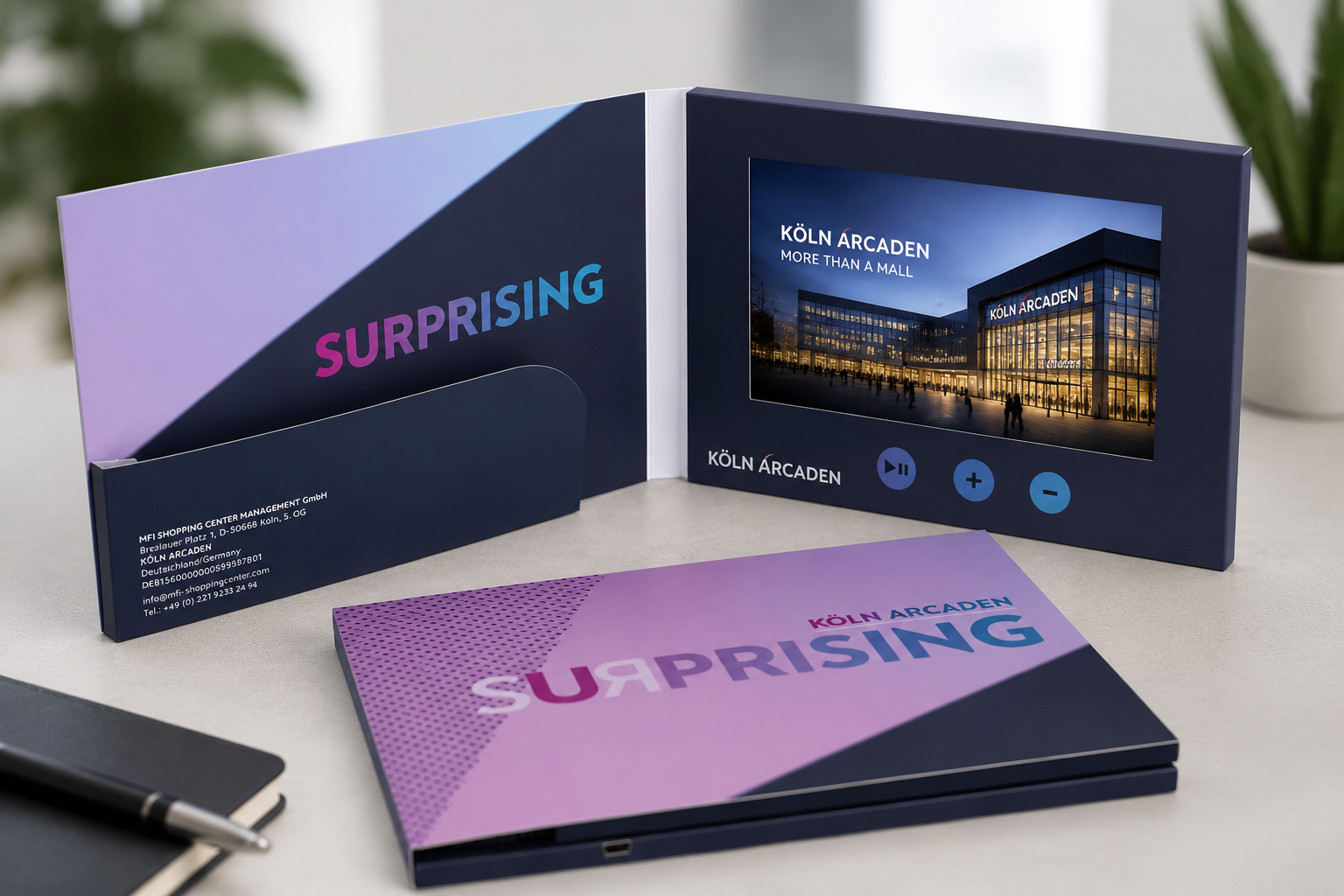
Quick Checklist
| Planning Stage | Recommendation |
|---|---|
| Goal | Define one clear campaign objective |
| Screen | Choose based on content and visual detail, not just budget |
| Video | 60–120 seconds, one message per video |
| Playback | Autoplay for simple messages, buttons for content viewers may revisit |
| Sample | Review before committing to mass production |
| Timeline | Confirm artwork and sample approval early to protect your schedule |
Why Planning Matters
Many people assume that creating a video mailer starts with designing the cover or producing the video.
In reality, successful campaigns begin much earlier. Before selecting materials or requesting a quotation, it’s worth answering a few simple questions:
- Who will receive the video mailer?
- What action do you want them to take?
- How will the mailer be delivered?
- What impression should it leave?
These decisions influence nearly every aspect of production—from screen size and packaging to memory capacity, playback functions, and shipping methods.
Manufacturer Insight
One of the most common reasons projects are delayed isn’t manufacturing—it’s changing the specifications after artwork has already been approved. Defining your objectives first helps avoid unnecessary revisions later.
1. Start with a Clear Campaign Goal
Every video mailer campaign is different.
A luxury brand launching a flagship product has different priorities than a real estate agent presenting a property portfolio or a healthcare company introducing new services.
Instead of choosing features first, begin by defining what you want the campaign to achieve.
| Campaign Type | Primary Objective |
|---|---|
| Product Launch | Build excitement and introduce a new product |
| Real Estate | Impress homeowners and win more listings |
| Corporate Presentation | Support sales meetings and proposals |
| Healthcare | Educate patients or introduce services |
| Event Invitation | Increase attendance and engagement |
Once the objective is clear, selecting the right screen size, packaging style, and video content becomes much easier. Trying to add every available feature often increases costs without improving results.
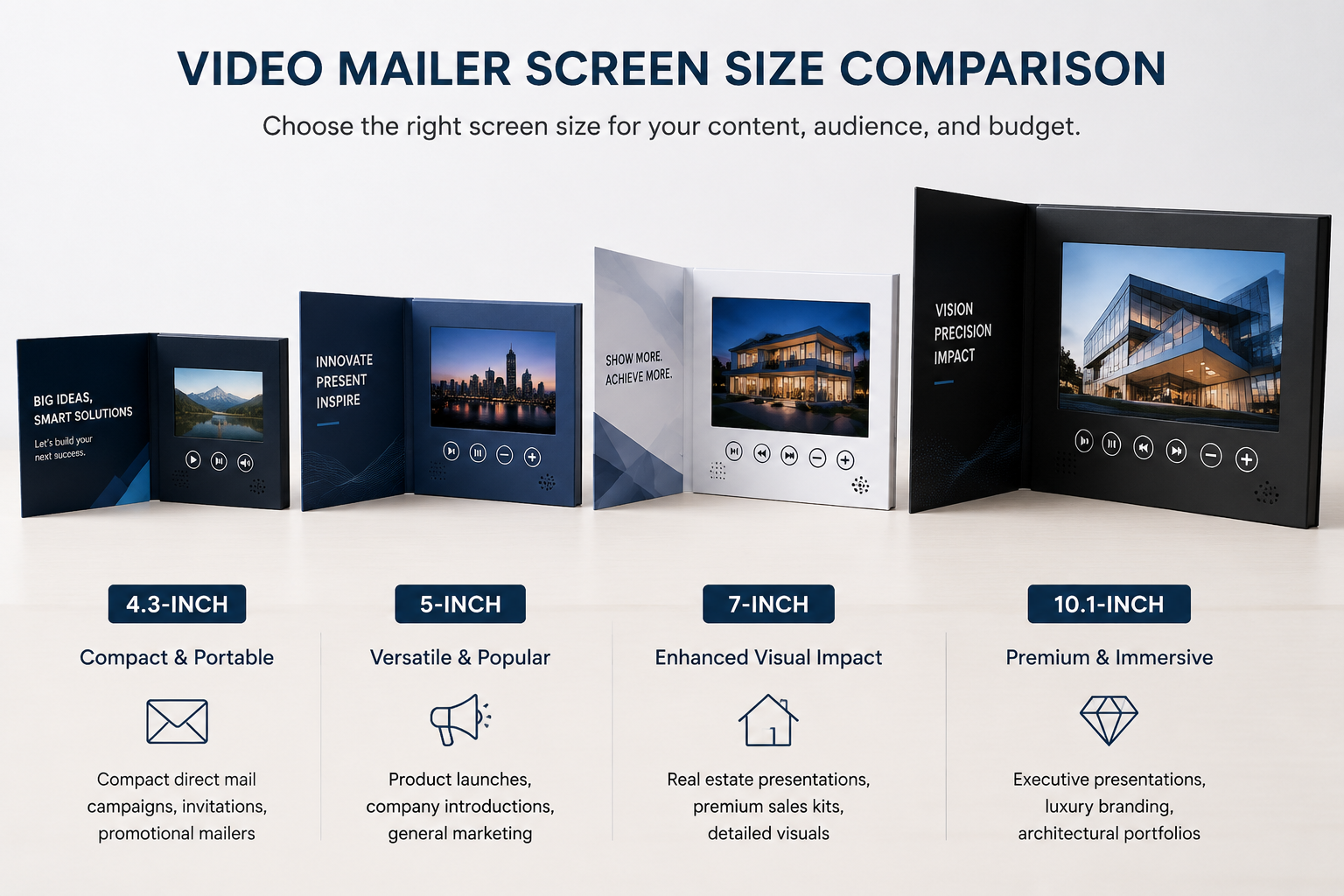
2. Choose the Right Screen Size
Choosing the right screen size is one of the first decisions most buyers make—and one of the most important.
Larger isn’t always better. The ideal screen depends on your content, audience, and budget.
| Screen Size | Best For |
|---|---|
| 4.3-inch | Compact direct mail campaigns, invitations, promotional mailers |
| 5-inch | Product launches, company introductions, general marketing |
| 7-inch | Real estate presentations, premium sales kits, detailed visuals |
| 10.1-inch | Executive presentations, luxury branding, architectural portfolios |
A 5-inch video mailer is often the most versatile choice because it balances viewing experience, portability, and cost. A 7-inch or 10.1-inch screen is better suited to presentations where visual detail plays an important role, such as property photography, technical drawings, or luxury products.
Manufacturer Insight
One of the questions we hear most often is whether to choose a 5-inch or 7-inch screen. In many cases, the decision has less to do with budget than with the amount of visual detail the presentation needs to show. Product demonstrations often work well on a 5-inch screen, while property tours and architectural presentations usually benefit from a larger display.
Rather than selecting the biggest screen available, choose the format that best supports your campaign goals.
3. Keep the Video Short and Purposeful
A video mailer gives you only a short window to capture attention, so every second counts.
Rather than trying to explain everything about your company, focus on one clear message and one desired action.
A simple structure often works best:
- Capture attention in the first 5–10 seconds.
- Introduce the main message or problem.
- Present your solution or key benefits.
- Finish with a clear call to action.
For most marketing campaigns, 60 to 120 seconds is an ideal video length. If you need to present multiple products or detailed information, consider splitting the content into separate videos instead of creating one long presentation. Viewers are more likely to watch several short chapters than a single five-minute video.
Manufacturer Insight
We often see customers spend weeks perfecting the printed design while leaving the video until the last minute. In practice, the opposite usually delivers better results. A strong, focused video has a much greater impact than adding extra printing finishes to an average presentation.
4. Design the Printed Mailer and the Video Together
Recipients experience a video mailer in two stages. The first impression comes from the printed cover. The second begins when the video starts playing.
The most effective projects treat these two elements as one continuous experience rather than two separate designs. For example:
- Use the same colors and typography on the cover and in the video.
- Start the video with the same branding shown on the front cover.
- Keep the overall style consistent from print to screen.
Premium finishes such as soft-touch lamination, spot UV, foil stamping, or embossing can make the mailer feel more valuable before it’s even opened. Combined with a professionally produced video, these details help create a stronger first impression. The goal isn’t simply to make the mailer look expensive—it’s to make every element feel like part of the same story.

5. Choose Between Autoplay and Playback Buttons
One of the most common questions buyers ask is whether a video mailer should play automatically or include control buttons. The answer depends on how the recipient will use it.
Autoplay starts the video as soon as the mailer is opened. This creates an immediate, effortless experience and works particularly well for event invitations, promotional campaigns, direct mail, product launches, and short brand introductions. When your message is simple and designed to be watched from beginning to end, autoplay is usually the most effective option.
Playback buttons allow viewers to control the presentation by replaying videos, adjusting the volume, or switching between multiple chapters. They’re often recommended for corporate presentations, product catalogues, training materials, real estate portfolios, and healthcare presentations—content the recipient may want to revisit or navigate.
Manufacturer Insight
Many first-time buyers initially request multiple control buttons because they assume more features create a better experience. After reviewing a sample, many decide that simple autoplay is actually more intuitive for short promotional campaigns. The best choice depends on how the recipient is expected to interact with the presentation—not on how many features the product includes.
6. Plan Shipping and Sampling Before Production
Shipping is often treated as the final step of a project, but it should be considered from the very beginning. Mailing requirements can influence screen size, overall dimensions, packaging style, protective materials, and shipping method. If your campaign involves direct mail, a well-designed outer envelope or presentation box helps protect the product while reinforcing your brand.
Before committing to a larger order, it’s also worth requesting a sample. No matter how carefully a design is reviewed on screen, nothing replaces holding a finished video mailer in your hands—a sample lets you evaluate screen size, print quality, cover materials, and button placement, and gives you a chance to share the product with colleagues or clients first.
Manufacturer Insight
We regularly help customers adjust packaging before production begins because shipping requirements changed after the project was planned. Confirming the delivery method early is often one of the simplest ways to avoid unnecessary redesigns and additional costs. Many customers also compare two screen sizes side by side before making a final decision—seeing both versions in person often makes the choice much easier than comparing technical specifications alone.
Typical Workflow
Every project is slightly different, but production generally follows this process:
Artwork Confirmation
↓
Sample Approval
↓
Mass Production
↓
Video Loading & Quality Inspection
↓
Packing
↓
Worldwide Shipping
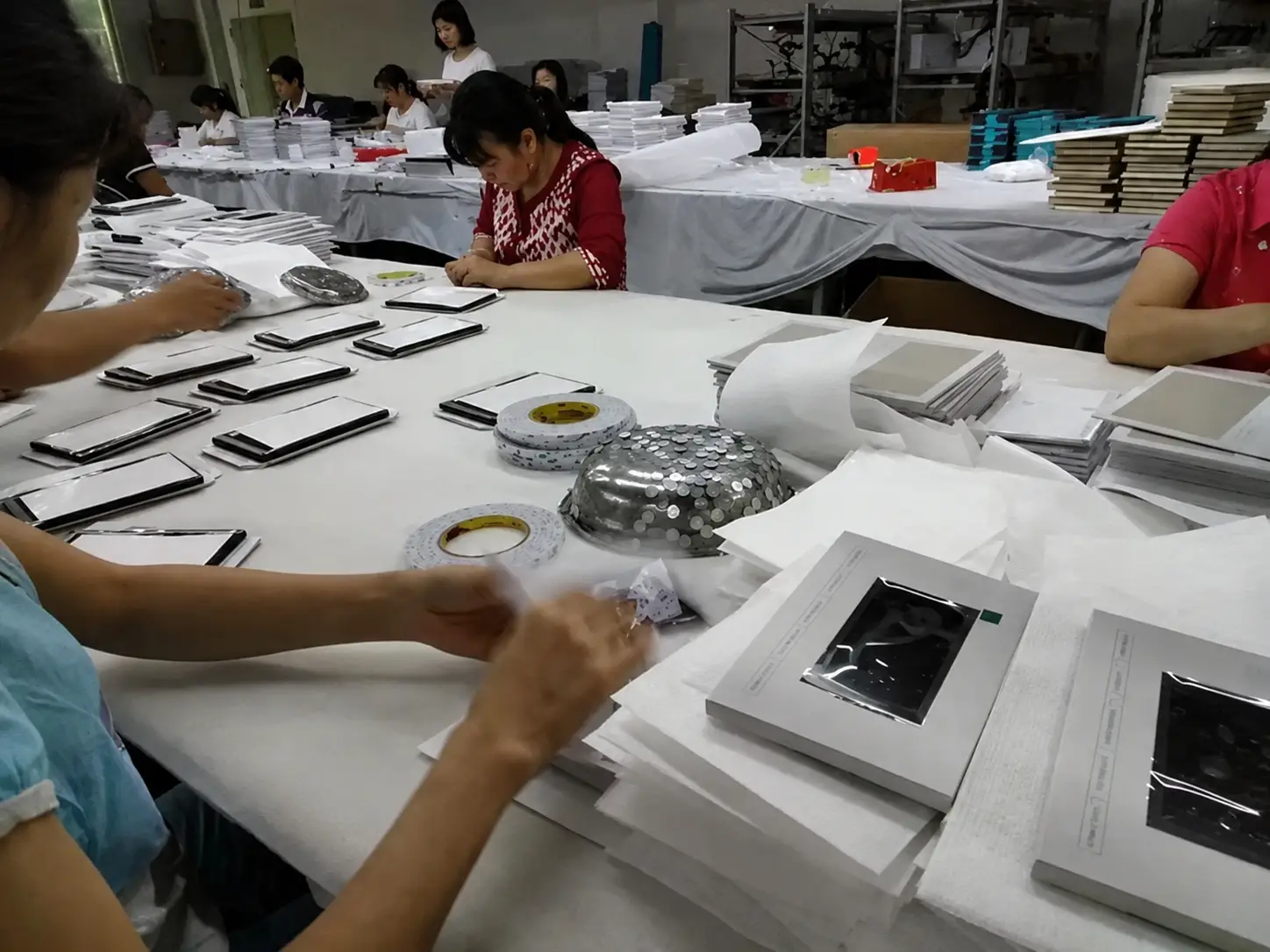
Building extra time into your schedule around this process—especially before a product launch, exhibition, or seasonal promotion—leaves room for design refinements and reduces the pressure caused by unexpected delays.
Key Takeaways
- Define one campaign objective before choosing specifications.
- Select the screen size based on content, not just budget.
- Keep videos short and focused—60 to 120 seconds for most campaigns.
- Order a sample before mass production.
- Confirm shipping requirements early.
Before You Place an Order
- ✓ Campaign goal confirmed
- ✓ Video finalized
- ✓ Screen size selected
- ✓ Artwork approved
- ✓ Sample reviewed
- ✓ Production schedule confirmed
- ✓ Shipping method confirmed
Frequently Asked Questions
Can a video mailer play multiple videos?
Yes. Depending on the memory capacity and button configuration selected, a video mailer can be set up to play multiple video chapters, allowing recipients to navigate between different sections such as an introduction, product details, or a call to action.
How much memory do I need for my videos?
Video mailers are available with a range of memory capacities—128MB, 256MB, 512MB, 1GB, 2GB, 4GB, 8GB, and 16GB. As a general guideline, a 60–120 second HD marketing video usually fits comfortably within 128MB to 512MB, while longer presentations or multiple video chapters may require 1GB or more.
Can I update the video after production?
Yes. Most custom video mailers include a USB port that allows you to replace the video files yourself after production. If your project requires sealed packaging or restricted access—so the recipient or a third party can’t alter the content—let us know before production so we can recommend a suitable configuration.
What’s the difference between a video mailer and a video brochure?
A video brochure is the general product category—a printed unit with an embedded video screen, used for presentations, sales meetings, or retail display. A video mailer is a video brochure specifically designed and packaged for postal delivery as part of a direct mail campaign, with the dimensions, protective packaging, and mailing format built around shipping safely to a recipient’s mailbox.
Can video mailers be mailed internationally?
Yes. International shipments require additional planning around packaging, customs documentation, and delivery timelines. Confirming your shipping destinations early in the project—rather than after production—helps avoid unexpected costs or delays.
How many buttons should I choose?
For promotional campaigns, autoplay without buttons is the configuration we produce most often. Among orders that do include buttons, a simple 3-button layout (such as Play/Pause, Volume, and Replay) is the next most popular choice, followed by 5-button configurations for content with more chapters or functions. More complex layouts of up to 12 buttons are also possible but far less common, typically reserved for detailed multi-chapter presentations or training materials.
Should I order a sample before mass production?
Yes. A sample lets you evaluate screen size, print quality, cover materials, and playback experience before committing to a larger order. It’s also useful for getting feedback from colleagues or clients before mass production begins.
How early should I start my project?
As early as possible, especially if your campaign supports a fixed date such as a product launch, exhibition, or seasonal promotion. Production involves several stages—artwork confirmation, sample approval, manufacturing, quality inspection, video loading, and packing—so starting early leaves room for revisions without putting your deadline at risk.
Related Articles
Explore the full range in the Video Mailer collection.
Need Help Planning Your Campaign?
Whether you’re comparing screen sizes, choosing playback options, or planning an international mailing campaign, we’re happy to recommend the right configuration based on your goals—not just provide a quotation.
Request a Quote | Talk to Our Team